Guide · Keyword research and content
Content refresh: find decaying pages and update them properly
A free-data method to find pages losing clicks or AI citations, decide whether to refresh, merge, redirect or remove each one, and make updates that count.

On this page (10 sections)
- 1What content decay looks like in Search Console
- 2Why freshness matters more in AI answers, and where it does not
- 3Build a decay shortlist with free data
- 4Score and prioritise: a decay scoring sheet
- 5Refresh, merge, redirect or remove: the decision
- 6What a genuine update includes
- 7Dates, dateModified and avoiding fake freshness
- 8Re-promote the updated page and get it recrawled
- 9A quarterly refresh calendar
- 10Sources
A content refresh is a substantial update to a page you have already published, so that its facts, examples and answer match what searchers need now. It is often the cheapest traffic you can win back, because the page already has an address, links and a history in the index. A new date on an unchanged page is not a refresh: Google's guidance on helpful, people-first content lists changing the date of pages "to make them seem fresh when the content has not substantially changed" as a sign of content made for search engines rather than people.
Most pages lose ground slowly. A guide that ranked third two years ago slips to seventh as competitors publish newer versions, a statistic is superseded, a product it mentions is renamed, or the question people ask changes shape. AI assistants add a second clock: studies published in 2025 and 2026 found that they lean towards recently published pages and that individual citations fade within weeks.
Who this is for: small-business owners and in-house marketers with blog posts or service pages that are slowly losing clicks. What you will be able to do: find decaying pages with free Search Console data, score them, decide whether to refresh, merge, redirect or remove each one, make an update that genuinely counts, and get the new version recrawled and measured. Every step works with free Google and Bing tools; paid SEO suites are optional.
What content decay looks like in Search Console
Content decay is the gradual loss of clicks and impressions on a page over months while nothing on the site has broken. It is different from a sudden drop, which usually points to a technical fault, a manual action or a ranking update.
Before you call anything decay, rule out the things that imitate it. Google's guide to debugging Search traffic drops recommends setting the Performance report's date filter to "Last 16 months" to see whether a dip repeats every year, and checking your main queries in Google Trends to see whether interest fell across the web or only for your site. A plumber's "frozen pipes" post that loses traffic every April is not decaying.
Five patterns and what they usually mean
| What you see in Search Console | Usual cause | First move |
|---|---|---|
| Clicks and average position slide over 3–12 months | Newer or more complete competing pages; your facts or examples have aged | Refresh candidate |
| Position holds, impressions hold, clicks and CTR fall | The results page changed: an AI Overview, ads or other features now take the clicks | Rework the title, description and opening answer; do not rewrite a page that still ranks |
| Impressions fall while position holds | Less demand for the topic | Check Trends and the same months last year; usually leave it |
| Two of your URLs take turns ranking for the same queries | Cannibalisation: your pages compete with each other | Merge candidate |
| Clicks fall sharply within a few days | A technical fault, a manual action or a ranking update | Not decay: diagnose it first |
For the last row, follow our core update recovery guide, which walks through confirming update dates and ruling out tracking and technical causes. The rest of this guide deals with the slow kind of decline.
Why freshness matters more in AI answers, and where it does not
Freshness matters most where searchers expect recent information, and ChatGPT in particular appears to favour newer pages more than Google's classic results do. For evergreen questions, an older page that is still accurate can keep ranking and being cited for years.
Google's guide to its ranking systems describes "query deserves freshness" systems that show fresher content where it would be expected. Its example is a search for a recently released film, where people probably want recent reviews rather than articles from when production began. The other side of that rule is that a page explaining how to bleed a radiator does not need a new date every year to stay useful.
What the AI citation studies found
- Ahrefs, 2025. In its study of 17 million citations across seven AI platforms, URLs cited by AI assistants were on average 25.7% "fresher" than URLs in Google's organic results: 1,064 days since publication against 1,432. Measured by last update instead, the gap shrank to 13.1%. ChatGPT showed the strongest preference, citing URLs 458 days newer than organic results, while Google's AI Overviews were the exception, citing content about 16 days older. The average cited page was still about 2.9 years old.
- Profound, 2026. Tracking 883,000 pages across seven AI engines for twelve months, Profound found that the median page fell to half its peak citation share within 11 days of peaking, and 78% of cited pages got there within two weeks. Pages cited by five or more engines were 5.5 times as likely as single-engine pages to stay above half their peak after eight weeks, and pages tied to a date or event faded first.
What these numbers do and do not tell you
Both are vendor studies that measure correlation. They show that AI answers lean towards newer pages and that citations churn quickly. They do not show that editing a page will get it cited, and Ahrefs itself warns that updating low-quality, irrelevant content every day will not, on its own, improve AI visibility. The AI Overviews result fits Google's description of freshness as something applied where a query calls for it, not everywhere.
The practical reading is narrower than some vendors suggest. An 11-day half-life is a reason to measure AI visibility repeatedly and page by page, not a reason to rewrite pages every fortnight. Two free reports help. Search Console's Generative AI performance report counts impressions in AI Overviews and AI Mode and can group them by page, and Bing Webmaster Tools' AI Performance report counts Copilot citations per URL, from sampled data that does not represent clicks (both checked October 2026). Our walkthrough of the Search Console AI performance report explains how to read Google's version, and our guide to getting cited in AI search covers what else decides citations.
How often each type of page needs a review
The table gives starting points based on how quickly each kind of fact changes. They are not Google rules: shorten them for fast-moving topics and lengthen them for stable ones.
| Page type | Why it ages | Review at least |
|---|---|---|
| Prices, fees, laws, tax rules, platform settings | Facts change without warning | Every 3 months, and whenever the rule changes |
| "Best" lists, comparisons, tool roundups | Products launch, close and get renamed | Every 3–6 months |
| Statistics-led articles | Newer studies replace the figures | Every 6 months |
| Service and location pages | Prices, team, areas served and reviews change | Every 6 months, and after any business change |
| How-to guides for stable tasks | Steps rarely change; screenshots and examples age | Every 12 months |
| Definitions and evergreen explainers | Rarely, unless the field moves | Every 12–18 months, for accuracy only |
Build a decay shortlist with free data
Build the shortlist from Search Console first, because it is Google's own record of clicks and impressions by page. Then add AI visibility, business value and a staleness check, so pages are ranked by what they are worth and not only by how far they fell.
Step 1: compare clicks year over year
- In Search Console, open Performance, then Search results. Set the date filter to Compare and choose the last 3 months against the same 3 months a year earlier, so seasonal swings cancel out.
- Open the Pages tab. With a comparison set, the table shows a Difference column, and Google's help page on filtering and comparison suggests sorting by it to find the pages that changed most (checked October 2026).
- Export the table to a spreadsheet. Keep pages with a meaningful loss. A reasonable first cut is clicks down 20% or more and at least 30 clicks lost over the quarter, adjusted to your site's size.
- Run a second comparison, last 3 months against the previous 3 months, to catch recent declines that the year-over-year view smooths over.
Step 2: read the queries behind each page
Click a page in the table and switch to the Queries tab. Note whether it lost position on its main queries, kept position but lost clicks, or began ranking for different queries. Then filter by the main query and open the Pages tab: if two of your URLs appear, you may have a merge candidate rather than a refresh.
Step 3: add AI visibility
Open the Generative AI performance report and check the same pages' impressions over time, then look the URLs up in Bing's AI Performance report. A page falling in both classic results and AI answers is a stronger candidate than one falling in only one. Neither report shows clicks, so treat them as a direction of travel, not a count of lost visitors.
Step 4: add business value
Give each candidate a value score from your own data: enquiries or sales attributed to the page in your analytics, whether it supports a service you sell, and whether other sites link to it. Search Console's Links report lists your top linked pages. A post that lost 40 clicks but used to bring enquiries matters more than one that lost 400 clicks from readers who never buy.
Step 5: check what has gone stale
Run each shortlisted page through the free AI Content Freshness Checker. It lists every date the page exposes (the visible updated date, meta tags, structured data, the sitemap's lastmod and the server's Last-Modified header), flags dates that disagree, and finds a past year in the title, statistics three or more years old and products that have been renamed or retired. Treat the output as a list to verify, not a verdict: an old statistic may still be the latest one available.
Spot a decaying page in Search Console
Score and prioritise: a decay scoring sheet
Score each candidate on how much it lost, where it lost and what it is worth, then work from the top. A simple sheet stops the steepest percentage drop, or the most recent worry, from jumping the queue.
How we built it: we took the checks Google recommends for traffic drops (date comparison, query and page views, demand), added the two AI visibility reports, a business-value score and an effort score, and gave each criterion 0–2 points so the sheet fits in a spreadsheet. The thresholds below are starting points. Copy the table, add a column for your own figures and adjust them to your traffic.
| Criterion | 0 points | 1 point | 2 points |
|---|---|---|---|
| Click loss, last 3 months vs a year earlier | Under 10% | 10–30% | Over 30% |
| Clicks lost over the quarter | Under 20 | 20–100 | Over 100 |
| Average position on the main query | Within 1 place | Down 1–3 places | Down more than 3 |
| AI visibility trend | Steady or rising | Falling | Gone from the AI reports |
| Business value (counts double) | No enquiries, no service link | Supports a service page | Brings enquiries or sales |
| Effort to fix (less effort scores higher) | Full rewrite | Several sections | Facts and examples only |
Add the scores, counting business value twice, for a total out of 14. Work on pages above your cut-off first; 8 is a sensible place to start.
Worked example
Example: a physiotherapy clinic in Leeds scores three pages after its October export. The figures are hypothetical.
| Page | Click loss | Clicks lost | Position | AI trend | Value ×2 | Effort | Total |
|---|---|---|---|---|---|---|---|
| "Exercises for lower back pain": 1,150 to 690 clicks, position 3.2 to 5.9, nine enquiries last year | 2 | 2 | 1 | 1 | 4 | 1 | 11 |
| "Sports massage prices": 300 to 240 clicks, position steady, prices last changed in 2024 | 1 | 1 | 0 | 1 | 4 | 2 | 9 |
| "We've moved" news post: 80 to 30 clicks, position steady, no enquiries | 2 | 1 | 0 | 0 | 0 | 2 | 5 |
The news post lost the biggest share of its clicks, more than 60%, but scores lowest, so it waits. The back pain article goes first. The prices page kept its position while clicks fell, so its fix is current prices and a clearer title and description, not a rewrite.
Refresh, merge, redirect or remove: the decision
Choose the action by asking, in order, whether something is broken, whether demand moved, whether another page already covers the topic and whether the page is out of date. Work down the list and stop at the first match.
- If the page is broken (noindex, a wrong canonical, a redirect loop, server errors or blocked crawlers), fix that first. It is a technical repair, not a refresh, and our technical SEO audit checklist covers the checks.
- If the decline is seasonal or the whole topic lost demand, leave the page alone and note the date.
- If position held but clicks fell, rewrite the title, meta description and opening answer, and leave the rest. Our post on title tag mistakes shows what to fix.
- If another of your pages targets the same queries, merge them into the stronger URL and 301-redirect the other.
- If the topic no longer fits your business or readers, redirect it to the closest relevant page when one exists and the old page has links or traffic. Otherwise return a 404 or 410.
- If the facts, examples or advice are out of date, refresh it on the same URL.
- If the results now favour a different format or intent, such as comparisons where you have a how-to, rewrite it substantially on the same URL.
- If none of these apply, leave it and check again next quarter.
| Action | Choose it when | Threshold you set (starting point) | What happens to the URL |
|---|---|---|---|
| Refresh | Topic still relevant, page unique, facts or examples dated | Decay score above your cut-off (8) | Keep it; update the visible date, dateModified and lastmod |
| Rewrite | Search intent changed and the page no longer matches what ranks | Most of the top 5 results for the main query use a different format | Keep it; plan the content as if it were a new page |
| Merge | Two or more of your pages compete for the same queries | They share at least half of their top 10 queries | Keep the strongest; 301 the others to it |
| Redirect | The page has links or traffic, but another page on your site covers its topic better | Any external links, or more than 10 clicks a month | 301 to the closest relevant page, never a blanket redirect to the home page |
| Remove | Topic irrelevant, no links, no traffic, nothing similar on the site | No external links and under your minimum traffic for 12 months | Return 404 or 410; remove internal links and the sitemap entry |
| Leave | The decline is seasonal or small, or the page still serves visitors | Loss below your decay threshold | No change; recheck next quarter |

How to merge two pages without losing what they earned
- Pick the URL to keep: usually the one with more clicks, more links and the better match to the main query.
- Move every unique, still-accurate section from the weaker page into it, and drop the duplicates.
- 301-redirect the weaker URL to the merged page. Google's site move documentation says that when you have consolidated content from several pages into one, you can redirect the older URLs to the new consolidated page.
- Point internal links straight at the merged URL and take the old URL out of your sitemap.
- Check each old URL with the free Redirect Checker, up to 10 at a time. Look for a single 301 or 308 hop to the final page, not a chain or a temporary 302.
If the overlap is between a service page and a blog post, our post on service pages versus blog posts explains which one should own the query.
Removing pages: when it helps and when it is a myth
Deleting old pages is not a ranking trick. Google's helpful content guidance asks whether you are adding or removing a lot of content "primarily because you believe it will help your search rankings overall by somehow making your site seem 'fresh'", and answers: "No, it won't." When CNET deleted thousands of old articles in August 2023, Google's Search Liaison said that deleting content because Google supposedly dislikes old content is "not a thing" and that older content can still be helpful, as Search Engine Land reported. The same report notes that other Googlers have advised improving content rather than removing it wherever possible.
When you do remove a page with no replacement, return a 404 or 410. Google's documentation on how HTTP status codes affect its crawlers says indexed URLs that return a 4xx code are removed from the index, and that all 4xx codes except 429 are treated the same, so the choice between 404 and 410 matters little for Google. Do not send every retired URL to your home page: the site move documentation warns that redirecting many old URLs to one irrelevant destination can confuse users and may be treated as a soft 404. A page that still helps visitors but not searchers, such as an old event recap linked from your about page, can stay live with a noindex tag.
What a genuine update includes
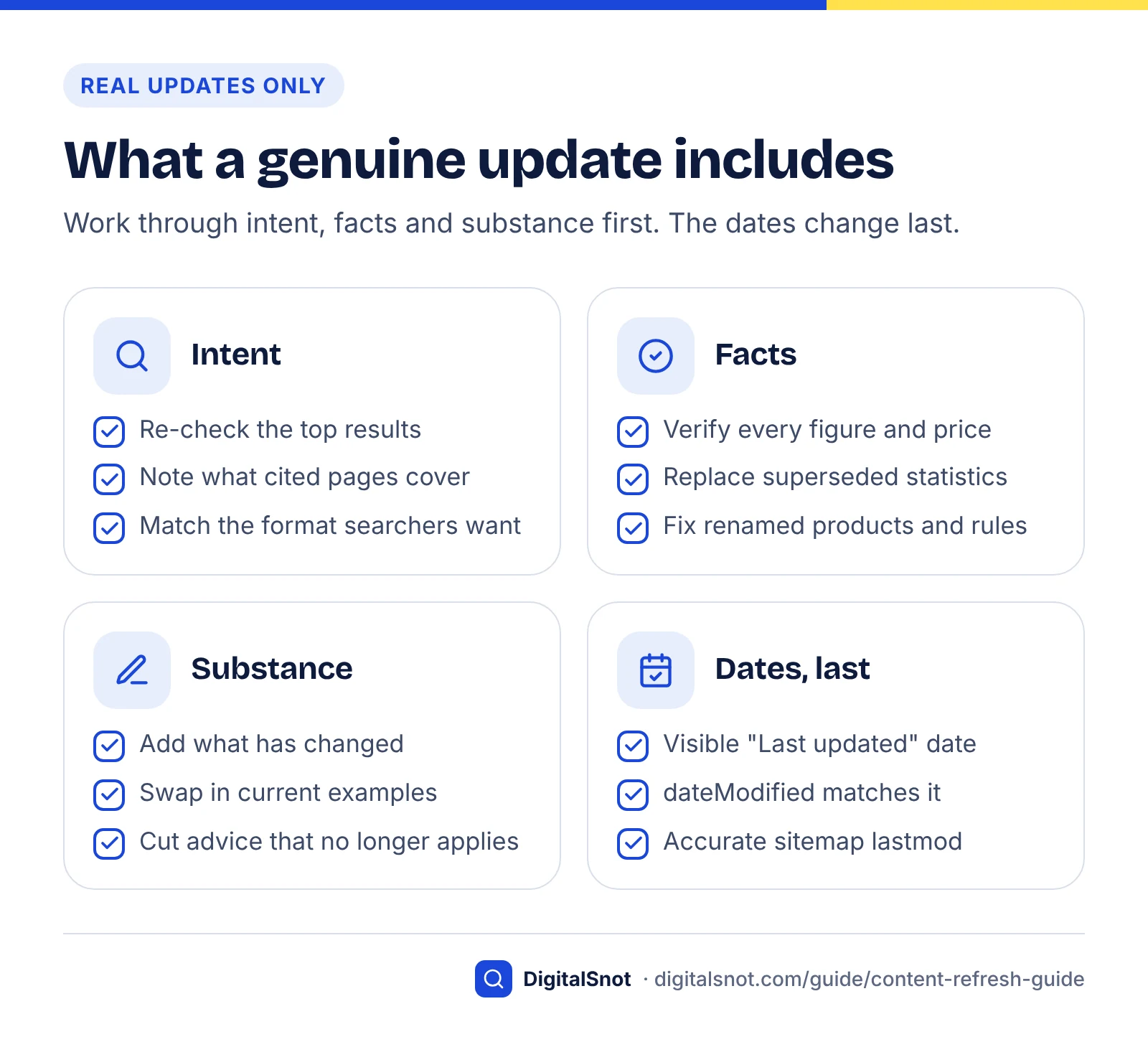
A genuine update changes what a reader learns or can do on the page. If someone who read the old version would find nothing new, corrected or more useful in the new one, it is not a refresh, whatever the date says.
- Re-check the intent. Search the main query on Google and ask it in ChatGPT or AI Mode. Note the format and subtopics the top results and cited pages share, and what yours lacks.
- Verify every fact. Check each figure, price, rule and product name against its source. Replace superseded statistics and give each one its year.
- Add what has changed. Cover new rules, tools, prices or methods since you published, with a short dated note where readers need to know what changed.
- Replace weak examples. Swap generic examples for specific, current ones, and retake old screenshots.
- Remove what is wrong. Cut advice that no longer applies. A shorter page that is right beats a longer one that is partly stale.
- Fill real gaps. The free Entity Coverage Checker compares the brands, tools, places and concepts on your page with up to three competitor pages. Add the missing ones only where they help a reader.
- Tighten the structure. Put the answer first under each heading and use tables for comparisons. Then run the On-Page SEO Checker with your main keyword to catch title, heading or canonical problems the edit introduced; our on-page SEO checklist covers the rest.
- Update internal links both ways. Link from the refreshed page to newer related pages, and to it from your strongest pages.
- Change the dates last, as described in the next section.
Which edits count as a significant update?
Google's test is whether the content has "substantially changed". The table applies that test to common edits. It is our reading of the guidance, and borderline cases are a judgement call.
| Edit | Significant? | Change the visible date and dateModified? |
|---|---|---|
| Typos, grammar, formatting | No | No |
| New theme, footer, sidebar or related-posts widget | No | No |
| Changing only the year in the title | No | No: this is date-washing |
| Replacing one outdated statistic | Only if it changes the answer or advice | Only if the advice changed |
| Correcting a factual error | Yes | Yes, with a short correction note if readers relied on it |
| Rewriting outdated steps, prices or rules | Yes | Yes |
| Adding a section that answers a question the page missed | Yes | Yes |
| Merging another page's content into this one | Yes | Yes |
Dates, dateModified and avoiding fake freshness
Change the visible date, the dateModified value in structured data and the sitemap lastmod together, and only after a significant update. Changing dates to look fresh without real changes is the opposite of a refresh.
Google's byline date documentation explains that Google does not rely on a single date signal; its systems look at several factors to estimate when a page was published or significantly updated. The date shown in results is Google's estimate, not simply the date you type.
What Google and Bing say about each date signal
Method: in October 2026 we read Google's byline date documentation, its 2019 blog post on page dates, its sitemap documentation and Bing's July 2025 sitemap guidance, and recorded what each says about the places a date lives. You can repeat the check; these pages change.
| Signal | Bing | What to do | |
|---|---|---|---|
| Visible date on the page | Show a prominent date labelled, for example, "Published" or "Last updated". The 2019 post adds that a significantly updated page should show the new date, and that showing both dates is fine. | Not covered in the guidance we read | Show "Last updated" near the title; keep the original publish date if it helps readers |
| datePublished and dateModified in structured data | Recommended, in ISO 8601 format with a time zone, and matching the visible date | Not covered in the guidance we read | Change dateModified only when the visible date changes |
| Sitemap lastmod | Used only if it is "consistently and verifiably" accurate; priority and changefreq are ignored | A key signal for deciding which URLs to recrawl; must reflect the page content's real last change, not when the sitemap was generated; priority and changefreq are ignored | Generate lastmod from the last significant edit, never from today's date |
| Which date to show | Dates must describe the page's own publication or update, not events it covers; no future dates | Not covered in the guidance we read | If Google keeps picking the wrong date, consider removing other dates on the page |
Both search engines agree on the essential point: a date is only useful while it is accurate. Google says it uses lastmod only when it matches reality, and Bing says freshness signals affect how quickly updates reach its results and AI-generated answers. Our schema markup guide shows where datePublished and dateModified sit in Article markup.
Date-washing patterns to switch off
- A CMS setting or plugin that changes "Last updated" to today whenever anyone saves the page, or on a schedule.
- A sitemap generator that stamps every URL with the time the sitemap was built, which Bing's guidance specifically warns against.
- Changing "Best accountants in Pune 2025" to "2026" in a title without re-checking the list.
- A visible date that disagrees with dateModified or lastmod, so readers and crawlers get different stories.
After publishing, run the refreshed page through the freshness checker again and confirm that the visible date, the structured data and the sitemap now agree.
A real update vs a date change
Re-promote the updated page and get it recrawled
Once the update is live, tell search engines it changed, link to it from pages that people and crawlers already visit, and record the date so you can measure the effect.
- Let the sitemap update lastmod automatically from the real edit date. Google's guide to asking Google to recrawl recommends a sitemap for larger numbers of URLs and says to update the last modification date.
- Request indexing for the few pages that matter most. Use URL Inspection in Search Console. Google notes that there is a quota, that asking repeatedly will not speed things up, that crawling can take from a few days to a few weeks, and that a request does not guarantee indexing.
- Notify Bing. Bing's sitemap guidance recommends combining accurate sitemaps with IndexNow, which submits changed URLs as they happen, for the best chance of fast discovery.
- Add internal links to the refreshed page from two or three strong, related pages.
- Tell people. Send it to your newsletter or the customers who asked the question, and say what changed.
- Log it. Record the date and a one-line summary of the change in a change log, so you can connect results to edits later.
Measuring the result
- Wait for the recrawl. URL Inspection shows the last crawl date. Judge the change no sooner than four weeks after it.
- Compare like with like. Compare the 28 days after the recrawl with the 28 days before, and with the same weeks last year if the topic is seasonal.
- Watch AI visibility over several weeks. Citations churn fast, so one AI answer proves little. Check the page in both AI reports and repeat a handful of prompts several times.
- Diagnose lost citations. If a page that used to be cited still is not after the recrawl, the free AI Citation Loss Analyzer checks the usual causes, from blocked crawlers, noindex and JavaScript-only content to a competitor page that answers the question better.
Feed the results into your monthly reporting; our post on what to look for in a monthly SEO report covers how to present them.
A quarterly refresh calendar
Run refreshes as a quarterly loop: one week to find and score candidates, three weeks to update the top of the list, and the rest of the quarter to measure. A fixed rhythm beats a yearly clean-up, because decay is gradual and AI citations change quickly.

| When | Task | Output |
|---|---|---|
| Week 1 | Export Search Console comparisons (year over year and previous period), the AI reports and conversions by page | Candidate list |
| Week 1 | Score candidates with the decay sheet and choose an action for each | Ranked list with actions |
| Weeks 2–4 | Refresh or rewrite the top pages; carry out merges, redirects and removals | Updated pages and a redirect log |
| Weeks 2–4 | Request recrawls, add internal links, tell your audience | Change log entries |
| Weeks 5–12 | Measure each page 28 days after its recrawl; report monthly | Notes for next quarter's list |
| Every month | Check time-sensitive pages: prices, rules, opening details | Facts kept current between cycles |
How many pages per quarter?
Fewer than you might think. A team of one should prefer three genuine updates to thirty date changes. Start with the five highest scores, finish them properly and judge the results before taking on more.
Keep the spreadsheet from quarter to quarter. The next export shows whether each refreshed page recovered, and a page that keeps sliding after a real refresh is usually telling you the intent has changed and a rewrite is due.
If you would rather have a specialist run this loop with you, our content SEO service covers decay audits, refreshes and consolidation. When you are ready to talk it through, get in touch.
Free tools in this guide
- AI Content Freshness Checker Check dates, old years and outdated statistics, with fresh blocks to add.
- Redirect Checker Trace 301/302 redirects, chains and loops to the final URL.
- Entity Coverage Checker Find the brands, tools and concepts competitors cover and you miss.
- On-Page SEO Checker Check titles, headings, images, links, schema and indexing for any page.
- AI Citation Loss Analyzer Find the likely reason AI answers stopped citing a page.
By the numbers
- fresher, on average, were URLs cited by AI assistants than URLs in Google organic results (Ahrefs, 2025, 17 million citations)
- 25.7%
- Source: Ahrefs
- newer than organic results, on average, were the URLs ChatGPT cited, the strongest preference of any platform studied (Ahrefs, 2025)
- 458 days
- Source: Ahrefs
- for the median page to fall to half its peak AI citation share (Profound, 2026, 883,000 pages across seven AI engines)
- 11 days
- Source: Profound
- of history in the Search Console Performance report, enough to spot a seasonal dip before you call a page decayed
- 16 months
- Source: Google Search Central
Frequently asked questions
What is a content refresh?
A content refresh is a substantial update to an existing page that brings its facts, examples, structure and answer up to date, usually on the same URL. It differs from republishing with a new date: the content itself must change in a way that helps readers. Done properly, it lets a page keep the links and history it has built while matching what searchers and AI assistants need now.
What is content decay?
Content decay is the gradual decline in a page's clicks and impressions over months, usually because competitors published newer or better pages, the facts aged or search intent shifted. In Search Console it shows as a slow slide in clicks and average position. A sudden drop within days is different and usually points to a technical problem, a manual action or a ranking update.
How often should I update old blog posts?
Update a post when its facts change, and review it on a schedule set by how quickly its topic moves. As a starting point, check pages about prices, rules or platform settings every three months, "best" lists every three to six months, and stable how-to guides once a year. Prioritise by lost clicks and business value rather than age alone, because an old page that is still accurate does not need changing.
Does changing the date on a blog post help SEO?
No. Changing the date without substantially changing the content is not a refresh, and Google's helpful content guidance lists it as a sign of content made for search engines rather than people. Google also estimates page dates from several signals, not just the one you show. Update the visible date, dateModified and sitemap lastmod together, and only after a significant change such as corrected facts or new sections.
Should I delete old blog posts to improve SEO?
Not just because they are old. Google says removing older content to make a site seem fresh will not help rankings, and its Search Liaison has said older content can still be helpful. Remove a page only when its topic no longer fits your business, it has no links or meaningful traffic, and nothing on your site replaces it. Then return a 404 or 410 rather than redirecting it to your home page.
When should I merge pages instead of updating them?
Merge when two or more of your pages compete for the same queries, for example when they share at least half of their top 10 queries in Search Console or take turns ranking. Keep the URL with the most clicks, links and the closest match to the main query, move the unique sections into it, and 301-redirect the others. Google explicitly allows redirecting consolidated pages to the new single page.
Should I change the URL when I refresh a page?
Usually not. Keeping the same URL keeps the links, history and internal links the page has built, and avoids redirect chains. Change the URL only if the old one is misleading, for example because it contains a year or a product name that no longer applies. If you do, add a permanent 301 redirect from the old URL and update internal links to point directly at the new one.
Does refreshing content help you get cited in ChatGPT or AI Overviews?
It can help, but there is no guarantee. Ahrefs' 2025 study of 17 million citations found AI-cited URLs were on average 25.7% fresher than organic results, with ChatGPT showing the strongest preference, while Google's AI Overviews cited slightly older content. These are correlations. A refresh helps most when it makes the page more accurate and more useful than the alternatives, not when it only changes a date.
How long does it take to see results after a content refresh?
Expect weeks rather than days. Google says recrawling can take from a few days to a few weeks, and requesting indexing does not guarantee it. Check the last crawl date in Search Console's URL Inspection tool, then compare the 28 days after the recrawl with the 28 days before. Pages in competitive results, or recovering from a long decline, can take longer to settle.
Should I update dateModified for small edits?
No. Keep dateModified, the visible "Last updated" date and the sitemap lastmod for significant changes such as corrected facts, rewritten steps or new sections. Typos, formatting and template changes do not count. Google uses sitemap lastmod only when it is consistently and verifiably accurate, and Bing says lastmod should reflect the page content's real last change, so inflated dates are likely to be ignored.
Sources
Every figure and claim in this guide comes from the sources below. We checked each one when writing and link to the original so you can read it yourself. Credit belongs to the authors and publishers listed. How we write and check our articles.
-
1
Creating Helpful, Reliable, People-First Content
Google Search Central · Changing dates to seem fresh, and adding or removing content to look fresh, flagged as search-engine-first.
-
2
Debug Google Search Traffic Drops
Google Search Central · Use "Last 16 months" to spot seasonality; check queries in Google Trends.
-
3
A Guide to Google Search Ranking Systems
Google Search Central · "Query deserves freshness" systems show fresher content where it is expected.
-
4
New Study: AI Assistants Prefer to Cite "Fresher" Content (17 Million Citations Analyzed)
Ahrefs · 2025: AI-cited URLs 25.7% fresher; 13.1% by update; ChatGPT 458 days newer; AI Overviews 16 days older.
-
5
The half-life of an AI citation is 11 days
Profound · 2026: median 11-day citation half-life; 78% within two weeks; multi-engine and dated-page findings.
-
6
Generative AI performance report (Search)
Search Console Help · Impressions in AI Overviews and AI Mode, with a Pages dimension.
-
7
Introducing AI Performance in Bing Webmaster Tools (public preview)
Bing Webmaster Blog · Copilot citation counts per URL; sampled data; citations are not clicks.
-
8
Performance report (Search results): Advanced filtering and comparison
Search Console Help · Comparing date ranges and sorting by the Difference column.
-
9
Site Moves and Migrations
Google Search Central · Redirecting consolidated pages is fine; many URLs to one irrelevant page may be a soft 404.
-
10
Google warns against content pruning as CNET deletes thousands of pages
Search Engine Land · August 2023: Search Liaison says deleting content for being old is "not a thing".
-
11
How HTTP Status Codes Affect Google's Crawlers
Google for Developers · Indexed URLs returning 4xx are removed; all 4xx except 429 treated the same.
-
12
Add a Byline Date to Google Search Results
Google Search Central · Several date signals; visible labelled dates; datePublished and dateModified; no event or future dates.
-
13
Help Google Search know the best date for your web page
Google Search Central Blog · 2019: update the visible date after significant updates; showing both dates is fine.
-
14
Build and Submit a Sitemap
Google Search Central · lastmod used only if consistently and verifiably accurate; priority and changefreq ignored.
-
15
Keeping Content Discoverable with Sitemaps in AI Powered Search
Bing Webmaster Blog · July 2025: lastmod as a recrawl signal, real modification times, IndexNow alongside sitemaps.
-
16
Ask Google to Recrawl Your Website
Google Search Central · URL Inspection quota, sitemaps for many URLs, days to weeks, no guarantee of indexing.