Pages ranking 8 to 20: your Search Console quick wins
How to read average position, impressions and CTR, find the searches where you sit at positions 8 to 20, pick which pages to improve first, and measure the change.

On this page (9 sections)
Your Search Console data already lists searches where Google shows your pages but few people click, because the page sits a little too low. Those searches are often your Search Console quick wins: you do not need a new page, only a better one. This post shows you what Search Console's numbers mean, how to find the searches at positions 8 to 20, which pages to work on first, what to change, and how to measure the result honestly. No change can guarantee a better position, so treat everything here as a way to give a page its best chance.
What position, impressions and CTR really mean
Search Console's help page on impressions, position and clicks defines the three numbers you will use:
- Impressions: how often a link to your site appeared in results. For a normal results page, it counts even if the searcher did not scroll down to it. Some features, such as carousels, count only when the item is scrolled into view.
- Clicks and CTR: a click is a click on that link, and CTR (click-through rate) is clicks divided by impressions.
- Average position: the topmost position your link held in each search, averaged across all the searches it appeared in. Google's own example: one search shows your site at positions 2, 4 and 6 (counted as 2), another at 3, 5 and 9 (counted as 3), so the average is 2.5.
Two things follow. First, a page's average blends many searches: a page at 12.4 may sit at 3 for one search and at 40 for another. So work search by search, not page by page. Second, Search Console's help recommends focusing more on trends in impressions and clicks than on position alone. Position tells you where to look; clicks tell you whether it worked.
Know the data's limits too. Search Console's Performance report keeps 16 months of data. Google's deep dive into performance data explains that the tables show at most 1,000 rows and leave out anonymised queries, searches made by very few people, so your table adds up to less than the chart. On a small site that rarely matters; on a large one, some long searches will be missing.
Find your searches at positions 8 to 20
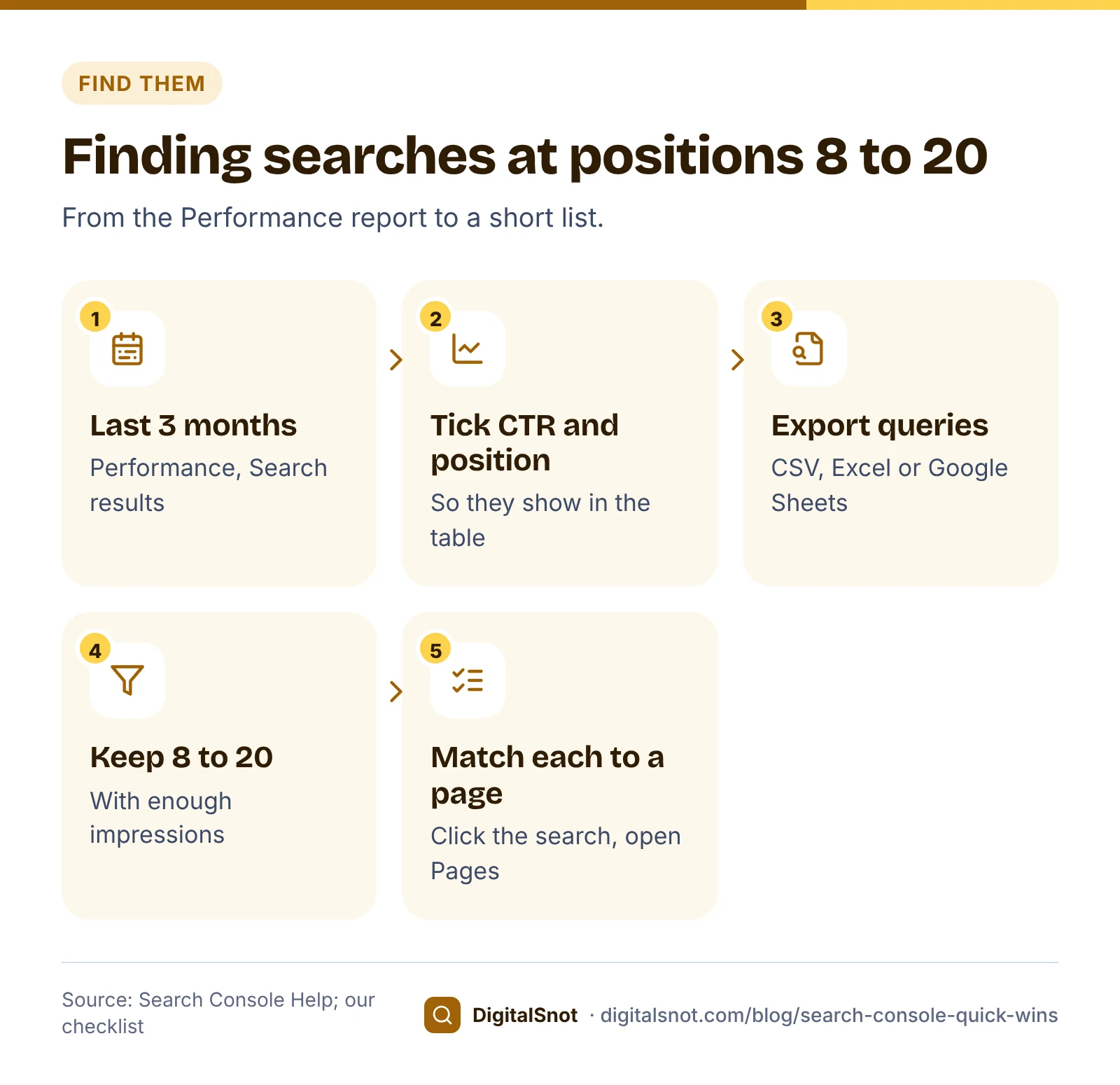
- In Search Console, open Performance, then Search results.
- Set the date to the last 3 months, so a few slow days do not skew the averages.
- Tick Average CTR and Average position above the chart, so they show in the table.
- On the Queries tab, sort by Position, or export the table as CSV, Excel or Google Sheets, as the export help page describes.
- Click a search in the table to filter the report by it, then open the Pages tab to see which of your pages shows for it. Google's help page on filtering and comparison explains how row clicks and filters work.
Sorting by hand works for a few dozen rows. For more, upload or paste the export into our Search Console Opportunity Finder. It sorts your rows into four lists: searches near page one (average position 8 to 20, our measure), searches with a low CTR compared with your own searches at about the same position, question searches in English, Hinglish and Hindi, and searches with impressions but no clicks. You choose a minimum number of impressions (20 by default), add your brand words to separate brand searches, and get one suggested action per row. It runs in your browser and does not sign in to Search Console.
Which pages to improve first
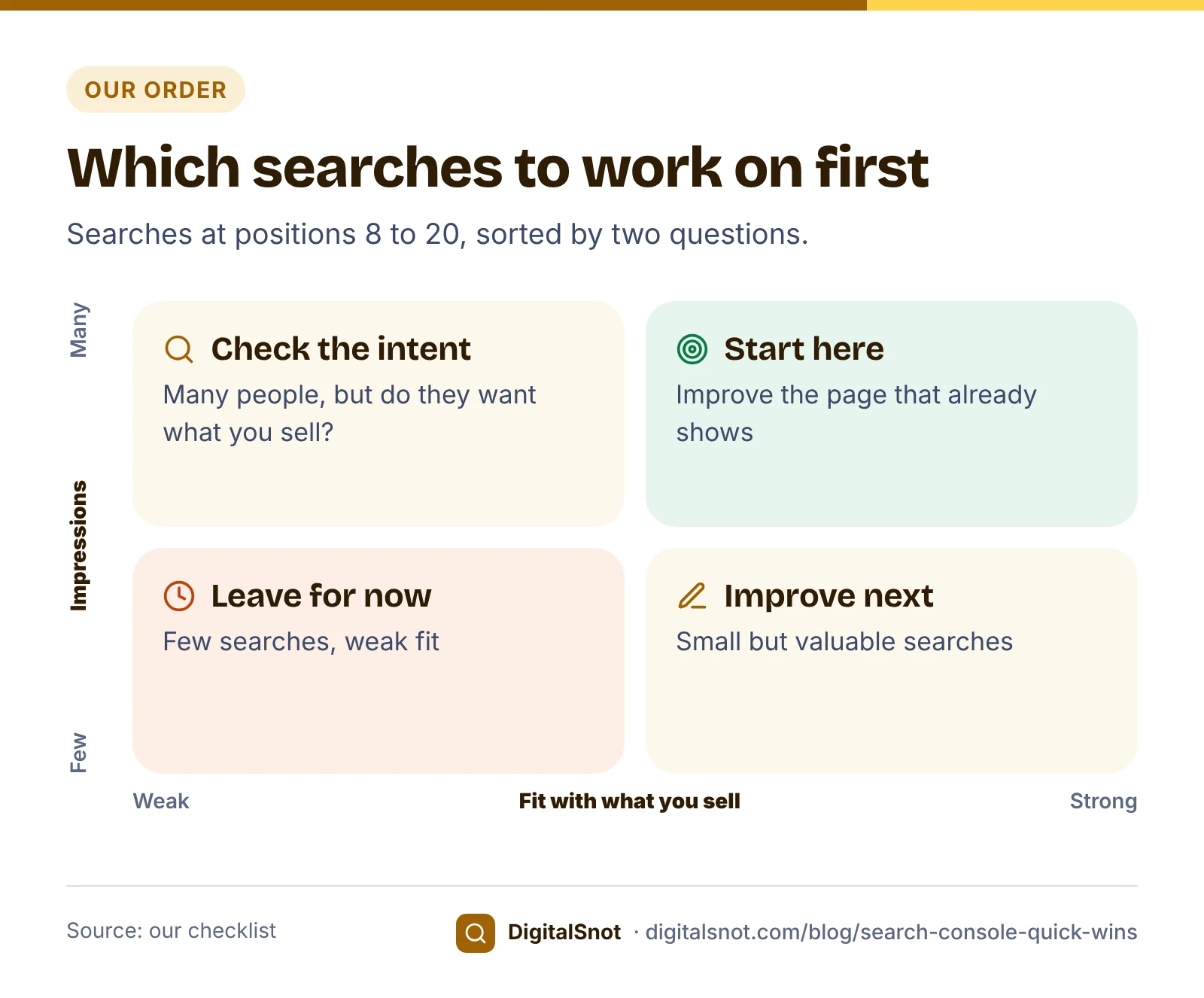
Not every search at position 12 deserves your time. Our order of priority:
- Fit with your business. A search that leads to a booking, call or order beats a search that only brings readers.
- Impressions. More impressions means more people could click if the page moved up or the snippet improved.
- A page that already answers part of the search. Improving it is quicker than writing a new one.
- A low CTR for its position, compared with your own similar searches. That often points to the title and snippet.
Here is a made-up example. Nimbus Physio Clinic in HSR Layout, Bengaluru, exported its Queries table for the last 3 months:
| Search | Clicks | Impressions | CTR | Position |
|---|---|---|---|---|
| physiotherapy hsr layout | 212 | 2,950 | 7.2% | 3.1 |
| back pain physiotherapy hsr layout | 14 | 1,380 | 1.0% | 9.6 |
| frozen shoulder treatment bangalore | 6 | 2,240 | 0.3% | 16.8 |
| sports injury physio near me | 9 | 640 | 1.4% | 12.2 |
| how long does physiotherapy take for back pain | 2 | 910 | 0.2% | 18.5 |
The first search is already near the top, so leave it. The back pain search comes first: it is a booking search, the clinic's back pain page already shows for it, and it has plenty of impressions. The question about how long treatment takes belongs on the same page, as a short section. The frozen shoulder search has the most impressions, but the page that shows is a general blog post on shoulder pain, so the clinic needs to decide whether a section there is enough or the treatment deserves its own service page. Our guide to keyword cannibalisation helps if two of your pages compete for one search.
Improve the title and snippet
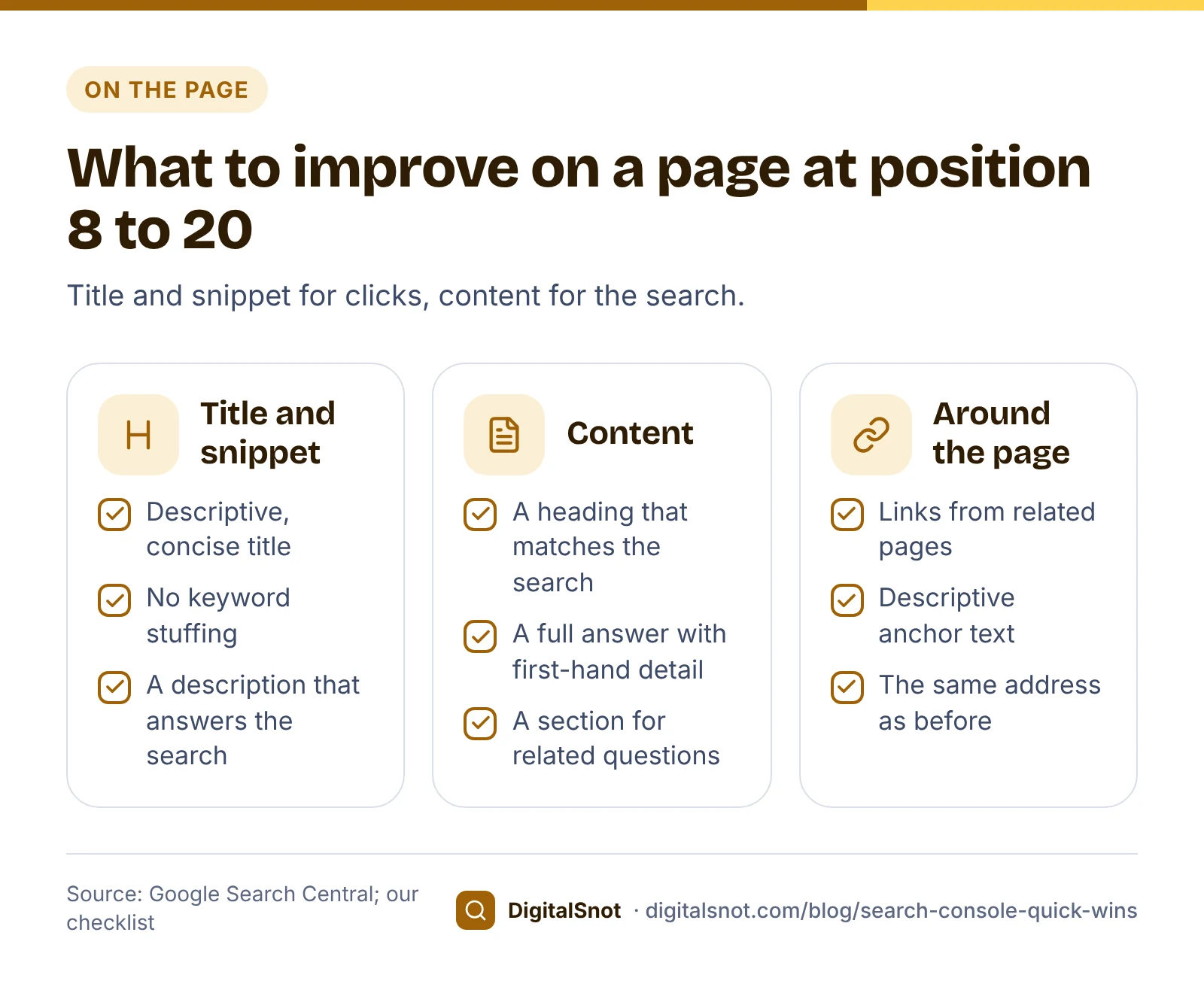
The title and snippet are what searchers read before they click. Google's guidance on title links asks for titles that are descriptive and concise, without keyword stuffing or repeated boilerplate across pages. Google creates the title link itself, mostly from your title element, so it may not show your title word for word. Its snippet guidance says the snippet comes mainly from the page content, and Google may use your meta description when it describes the page better.
For the back pain page, a vague title such as "Services | Nimbus Physio" could become "Back pain physiotherapy in HSR Layout, Bengaluru | Nimbus Physio". To get options to start from, type the topic, brand and place into our Title, Meta Description and URL Slug Writer. It fills fixed templates with your words, shows each title's approximate width in pixels and a search result preview, and gives meta descriptions too. Edit the one you pick so it sounds like you, and pick only a title the page lives up to. Our post on title tag mistakes that cost you clicks lists what to avoid.
Improve the content so it answers the search
A better title can win more clicks at the same position, but moving up usually needs a better page. Before you edit, search the query yourself and look at what Google shows: guides, service pages, videos, maps. That tells you what kind of answer searchers want (our suggestion). Then check the page against Google's guide to helpful, people-first content: does it fully answer the question, with first-hand detail a visitor cannot find elsewhere?
For Nimbus Physio, that could mean a heading that matches the search ("Physiotherapy for back pain in HSR Layout"), what a first visit involves, how many sessions patients usually need and why it varies, and the clinic's hours and booking number. Two more steps help Google and readers find the page: link to it from related pages with descriptive anchor text, as Google's link guidance suggests, and keep its address the same.
Paste the new draft, with its keyword, title, description and URL, into our Content Draft Optimizer. It checks headings, where the keyword appears, long sentences, links and alt text, and scores the draft against our checklist, not against anything Google publishes. Do not change the page's date unless the content has changed substantially; Google's helpful content questions name re-dating pages to look fresh as a sign of content made for search engines. Our content refresh guide covers updating older pages in more depth.
Measure the change honestly
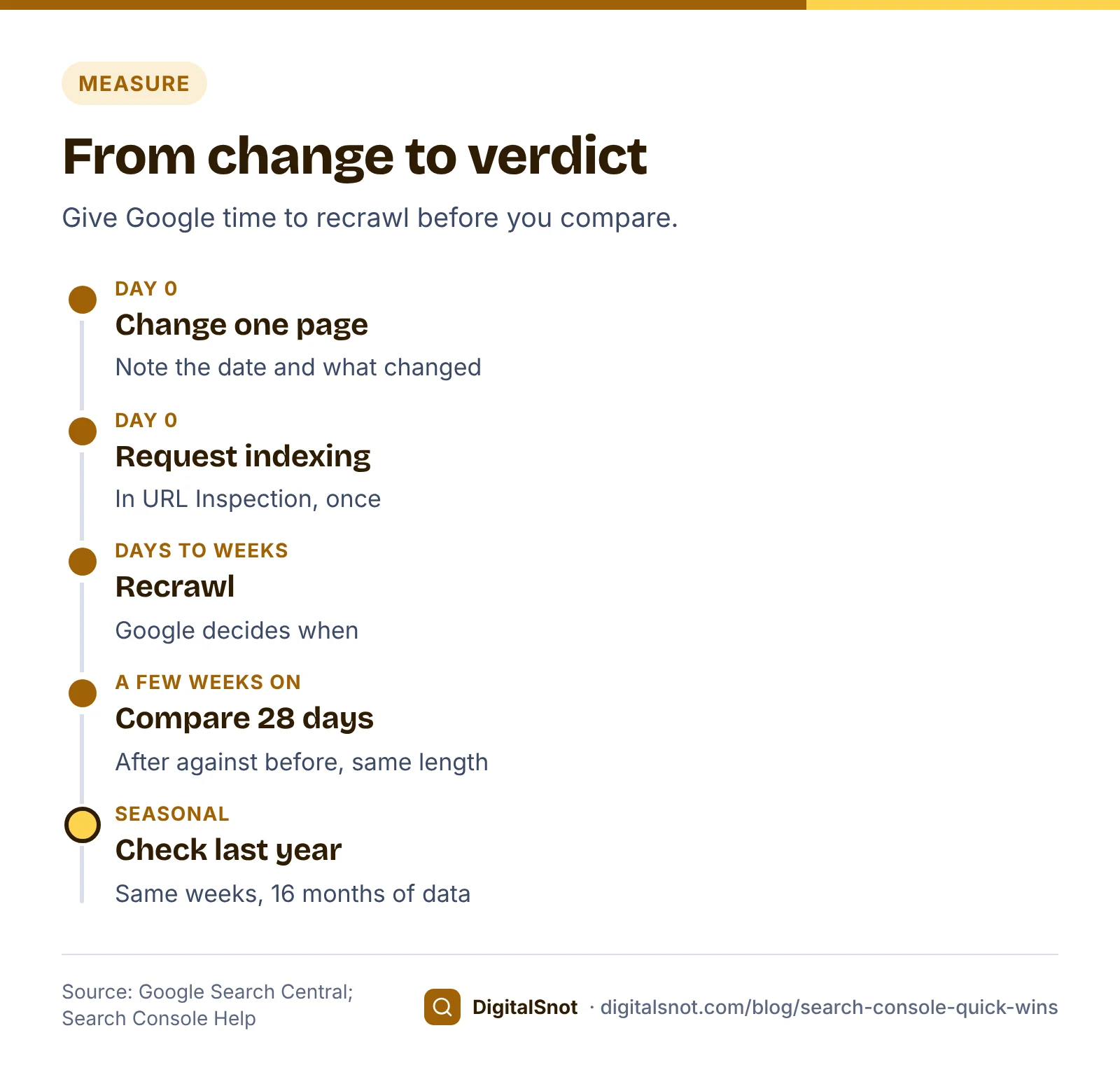
- Note the date and what you changed. Change one page at a time, so you know what made the difference (our suggestion).
- Ask Google to recrawl. In URL Inspection, request indexing. Google's page on asking Google to recrawl says crawling can take from a few days to a few weeks, and requesting it again does not speed it up.
- Wait. Google's SEO Starter Guide says some changes take effect in a few hours and others take several months, and that you will likely want to wait a few weeks before judging whether your work helped.
- Compare equal date ranges. Use Compare in the date filter, for example the 28 days after the page was recrawled against the 28 days before. Filter by the page, and look at clicks and impressions first, then CTR and position for your target searches.
- Check the season. For searches that rise and fall with festivals, exams or the weather, compare with the same weeks last year as well, which 16 months of data allows.
Mistakes to avoid
- Chasing the position of one search when the page gets clicks from dozens of others.
- Rewriting titles that already win clicks at the top positions.
- Stuffing the exact search into the title, headings and every paragraph.
- Changing the page's address as part of the update: it adds a redirect to manage and makes before and after harder to compare (our suggestion).
- Judging the change after three days, or comparing a 7-day range with a 28-day one.
- Calling a seasonal drop a failure without checking last year.
Your next step
Export your Queries table for the last 3 months, run it through the Search Console Opportunity Finder, and pick three searches at positions 8 to 20 that match pages which can win business. Improve one page this week and note the date. If you would rather have someone plan and write these updates, see our content SEO service, or start with a free SEO audit of your site.
Free tools in this article
- Search Console Opportunity Finder Find near-page-one searches, low CTR, questions and no-click searches in your Search Console export.
- Title, Meta Description and URL Slug Writer Titles, meta descriptions and URL slugs from your own words, with pixel widths and a Google preview.
- Content Draft Optimizer Check a draft's title, headings, keyword use, links, images and sentences before you publish.
Frequently asked questions
What does average position mean in Search Console?
It is the topmost position a link to your site held in each search, averaged across all the searches it appeared in. A page's average blends many searches, so look at positions search by search.
Why focus on positions 8 to 20?
Google already shows your page for those searches, so improving the page that ranks is often quicker than writing a new one. The 8 to 20 band is our measure, not a Google rule, and no change guarantees a better position.
How many impressions should a search have before I work on it?
There is no official number. Our Search Console Opportunity Finder uses 20 impressions as its default minimum, and you can raise it. Start with the searches that have the most impressions and fit your business best.
Should I change the title or the content first?
If the CTR is low for the position, start with the title and meta description. If the page does not fully answer the search, improve the content. Often both need work, but change one page at a time so you can tell what helped.
How long should I wait before checking the result?
Request indexing in URL Inspection, then wait a few weeks. Google's SEO Starter Guide says some changes take effect in hours and others take months, and suggests waiting a few weeks before you judge.
Why do my Search Console table totals not match the chart?
The tables show at most 1,000 rows and leave out anonymised queries, searches made by very few people, while the chart counts everything. Use the chart for totals and the table for individual searches.
Sources
Every figure and claim in this article comes from the sources below. We checked each one when writing and link to the original so you can read it yourself. Credit belongs to the authors and publishers listed. How we write and check our articles.
-
1
What are impressions, position, and clicks?
Search Console Help · How impressions and clicks are counted, CTR, and average position as the topmost position averaged across searches.
-
2
Performance report (Search results): Overview and basic setup
Search Console Help · 16 months of data in the Performance report.
-
3
Performance report (Search results): Advanced filtering and comparison
Search Console Help · Filtering by a table row, adding filters and comparing date ranges.
-
4
Export Search Console data
Search Console Help · Exporting report tables.
-
5
A deep dive into Search Console performance data filtering and limits
Google Search Central Blog · Anonymised queries and the 1,000-row limit of report tables.
-
6
Influencing title links in Google Search
Google Search Central · Descriptive, concise titles without keyword stuffing or boilerplate; Google creates the title link.
-
7
Control your snippets in search results
Google Search Central · Snippets come mainly from page content; the meta description is used when it describes the page better.
-
8
Creating helpful, reliable, people-first content
Google Search Central · People-first questions, including changing dates without substantial changes.
-
9
Link best practices for Google
Google Search Central · Descriptive anchor text for internal links.
-
10
Ask Google to recrawl your URLs
Google Search Central · Request indexing in URL Inspection; crawling can take a few days to a few weeks; asking again does not speed it up.
-
11
SEO Starter Guide
Google Search Central · Changes can take hours or months; wait a few weeks before judging.