YouTube ads for a local business: budget, formats and what to measure
Pick the right YouTube campaign and ad format, aim it at your area, set a test budget from your own numbers, measure customers rather than views, and avoid policy problems.
On this page (10 sections)
YouTube ads are not only for big brands. With YouTube ads for a local business, a gym, a coaching centre or a furniture showroom can show a short video to people in its own part of the city, and pay for views or impressions rather than a TV slot. The risk is spending on views that never turn into a visit.
This post helps you pick the right campaign and format, aim the ads at your area, set a test budget from your own numbers, measure what matters, keep your ads away from content you do not want, and avoid the policy problems that stop video ads. If you have not made your first videos yet, our post on your first 10 YouTube videos as a local business is the place to start.
Pick the campaign for your goal
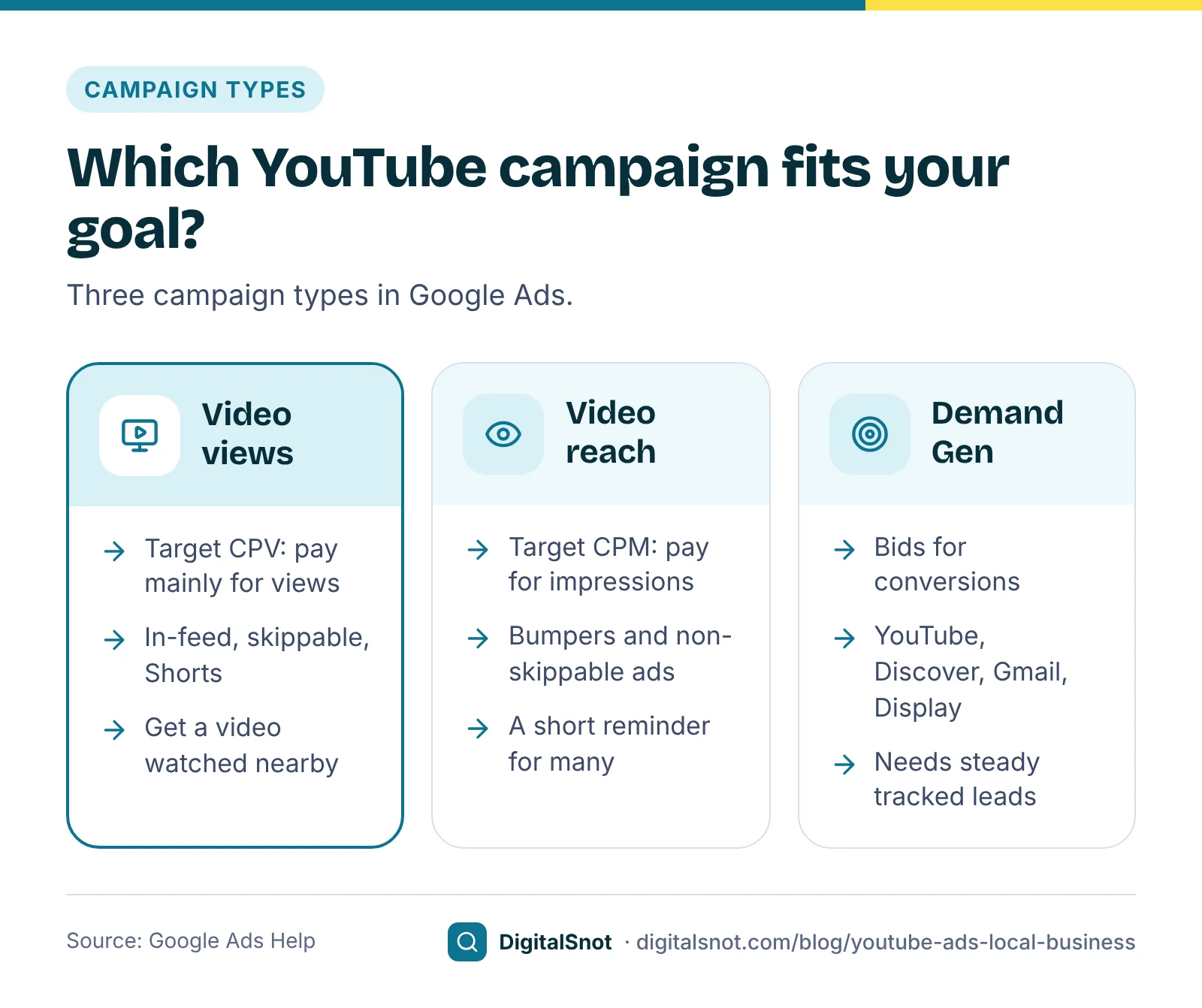
YouTube ads are bought in Google Ads. For a local business, three campaign types matter:
- Video views campaigns run in-feed, skippable in-stream and Shorts ads with Target CPV bidding, so you pay mainly for views. Google's page about Video views covers the set-up. They suit getting a longer video watched by people nearby.
- Video reach campaigns use Target CPM, so you pay for impressions. Google's page on Video reach campaigns covers the options, including efficient reach and non-skippable reach. They suit a short reminder seen by many people, such as a new branch or a festival offer.
- Demand Gen is for conversions. Google's page on Video action campaigns being upgraded to Demand Gen says all of them were upgraded by May 2026. Demand Gen runs on YouTube and also on Discover, Gmail and Display. Google's Demand Gen FAQ recommends starting with Maximise conversions and moving to Target CPA after at least 50 conversions.
Few small local businesses get 50 tracked conversions a month from YouTube. Our suggestion: start with a Video views campaign and measure enquiries carefully, then move to Demand Gen once your conversion tracking is solid and leads arrive steadily.
Formats and lengths
Each format has its own length rules. These are the ones our YouTube Ad Specs and Copy Checker checks, taken from Google Ads Help:
| Format | Length | Note |
|---|---|---|
| Skippable in-stream | No maximum; under 3 minutes recommended | Skip button after 5 seconds |
| Bumper | 6 seconds or less | Cannot be skipped |
| Non-skippable in-stream | 15 seconds or less; 30-second versions run mainly on TV screens | Cannot be skipped |
| Shorts ad | 6 to 60 seconds in Video reach, 10 to 60 in other campaigns | 9:16 recommended; viewers can swipe away |
| Demand Gen video | At least 5 seconds; under 10 seconds cannot run in-stream | Also runs on Discover, Gmail and Display |
Google's page about video ad formats lists them all, and its page on non-skippable in-stream ads covers the 15 and 30-second versions. The checker also counts the text each format takes: a skippable in-stream ad has a headline of up to 15 characters and a call to action of up to 10, while Demand Gen takes headlines of up to 40 characters and descriptions of up to 90. It checks the shape too: 16:9, 1:1 or 9:16, with 9:16 at 1080 x 1920 recommended for Shorts.
For a local business, our suggestion is to say who you are and where in the first five seconds, before the skip button appears. Then show the place and one clear action. From the same shoot, cut a 6-second bumper and a vertical version for Shorts; our Shorts checklist helps with the vertical cut.
Aim the ads at your area
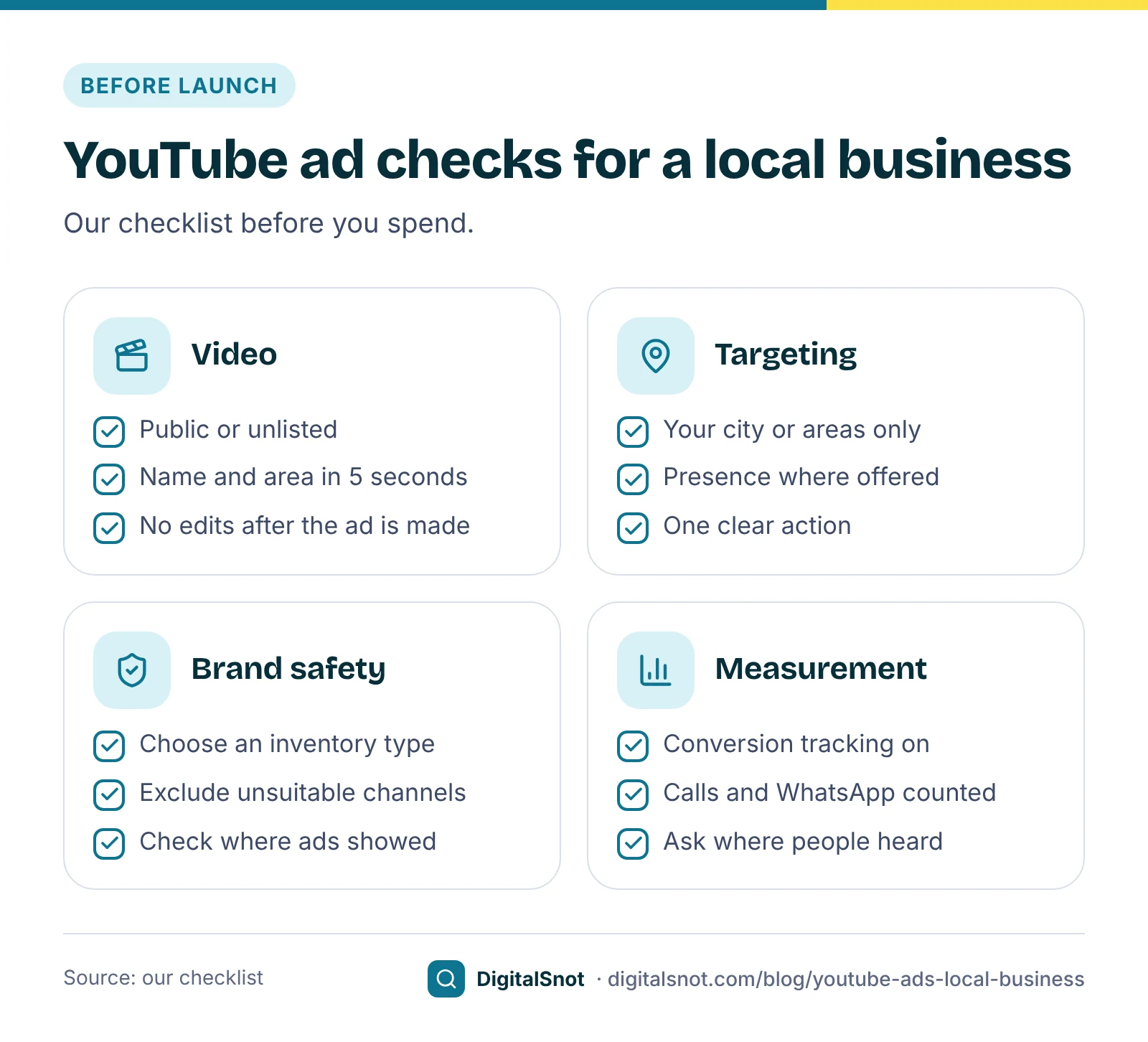
Location targeting decides who can see your ad. Add your city, or the areas you serve, rather than all of India. Then look at the location options. Google's page about advanced location options explains that the default, Presence or interest, also reaches people who have shown interest in your locations, while Presence reaches people who are in, or regularly in, them. Where your campaign offers the choice, Presence suits a business people must visit in person.
The video should do local work too. These are our suggestions:
- Name the area early, in speech and on screen: "Gachibowli", not just "Hyderabad".
- Show the place people will see when they arrive: the entrance, the street, a landmark they know.
- End with one action that matches your call to action: call, WhatsApp or book a trial.
Set a test budget from your own numbers
There is no typical cost per view worth copying: it depends on your area, audience, format and the time of year. Start from the rates in your own account if you have run video ads before, or a cautious guess if not, and treat the first month as a test.
The YouTube Ads Budget Calculator works both ways: from a monthly budget to the views, impressions or conversions it buys, or from a goal to the budget it needs. It divides the monthly budget by 30.4 for an average daily budget, can add 18% GST and shows what happens if your rate moves by 20%. It has no built-in rates, so the answer is only as good as the rate you enter.
Two billing facts matter. Google's page about spending limits says you are not charged more than 30.4 times your average daily budget in a month, though a single day can spend more. Google's page on taxes in your country lists 18% GST on Google Ads costs in India, added on top. Our post on how much to spend on Google Ads covers budgets in more depth.
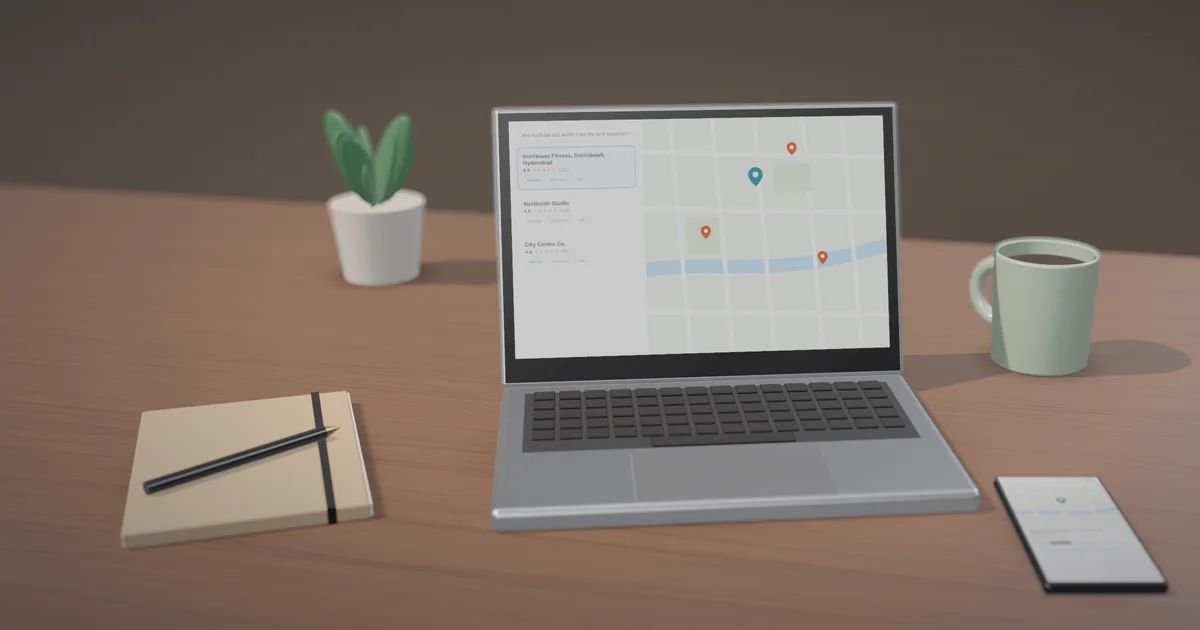
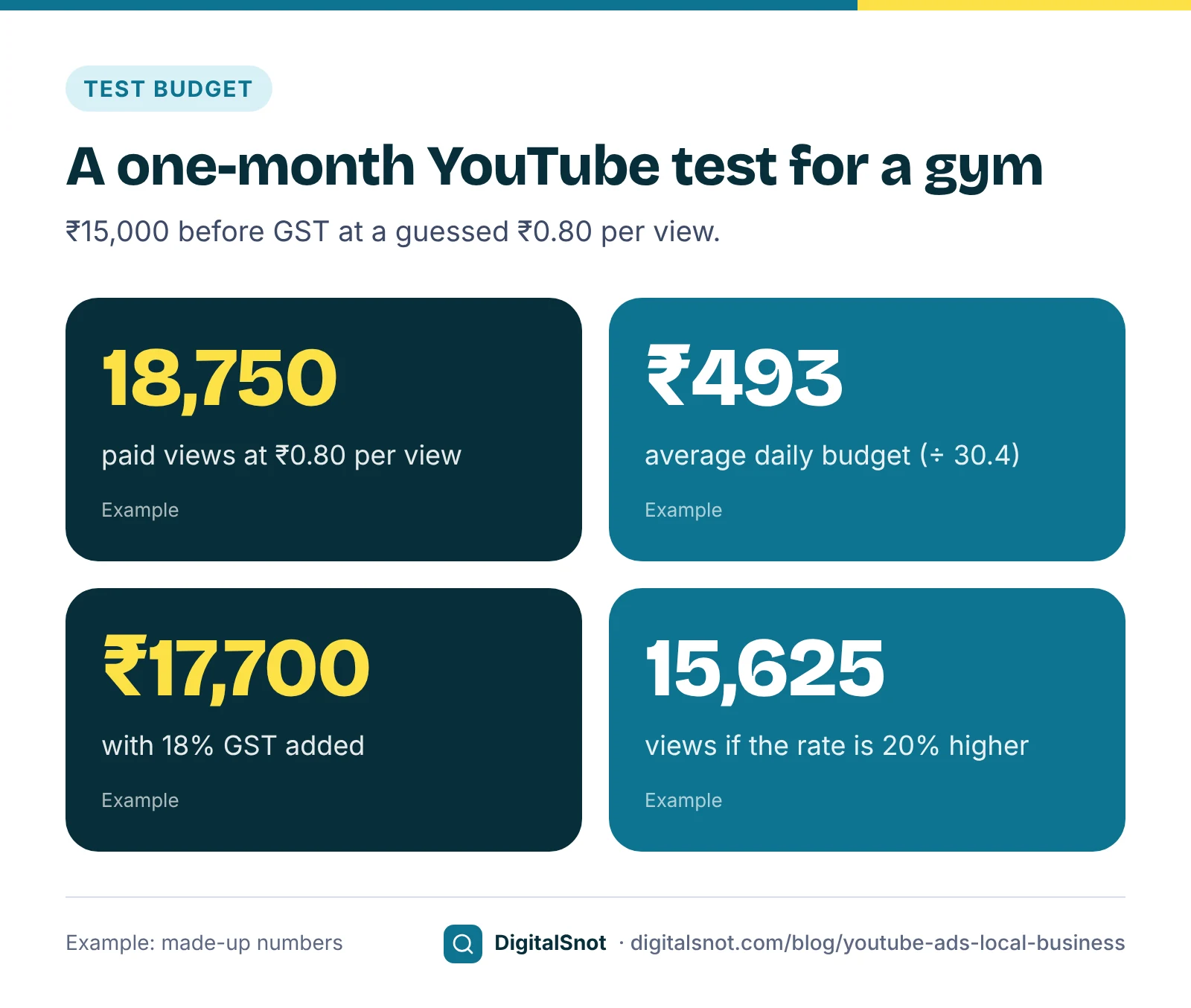
IronHouse Fitness in Gachibowli, Hyderabad, is a made-up gym. The owner set aside ₹15,000 before GST for a one-month test of a 30-second skippable ad, with a 20-second vertical cut for Shorts. With no history, he entered a cautious guess of ₹0.80 per view, a made-up rate rather than a benchmark. The calculator showed:
- about 18,750 paid views for ₹15,000;
- an average daily budget of about ₹493;
- ₹17,700 with 18% GST, as the gym cannot claim it back;
- about 15,625 views if the rate came in 20% higher, at ₹0.96.
Views are not customers: what to measure
Know what you pay for. Google's cost-per-view definition says that for in-stream ads, a view counts when someone watches 30 seconds of your ad, or the whole ad if it is shorter, or interacts with it, whichever comes first. A view tells you someone watched. It does not tell you they will walk in.
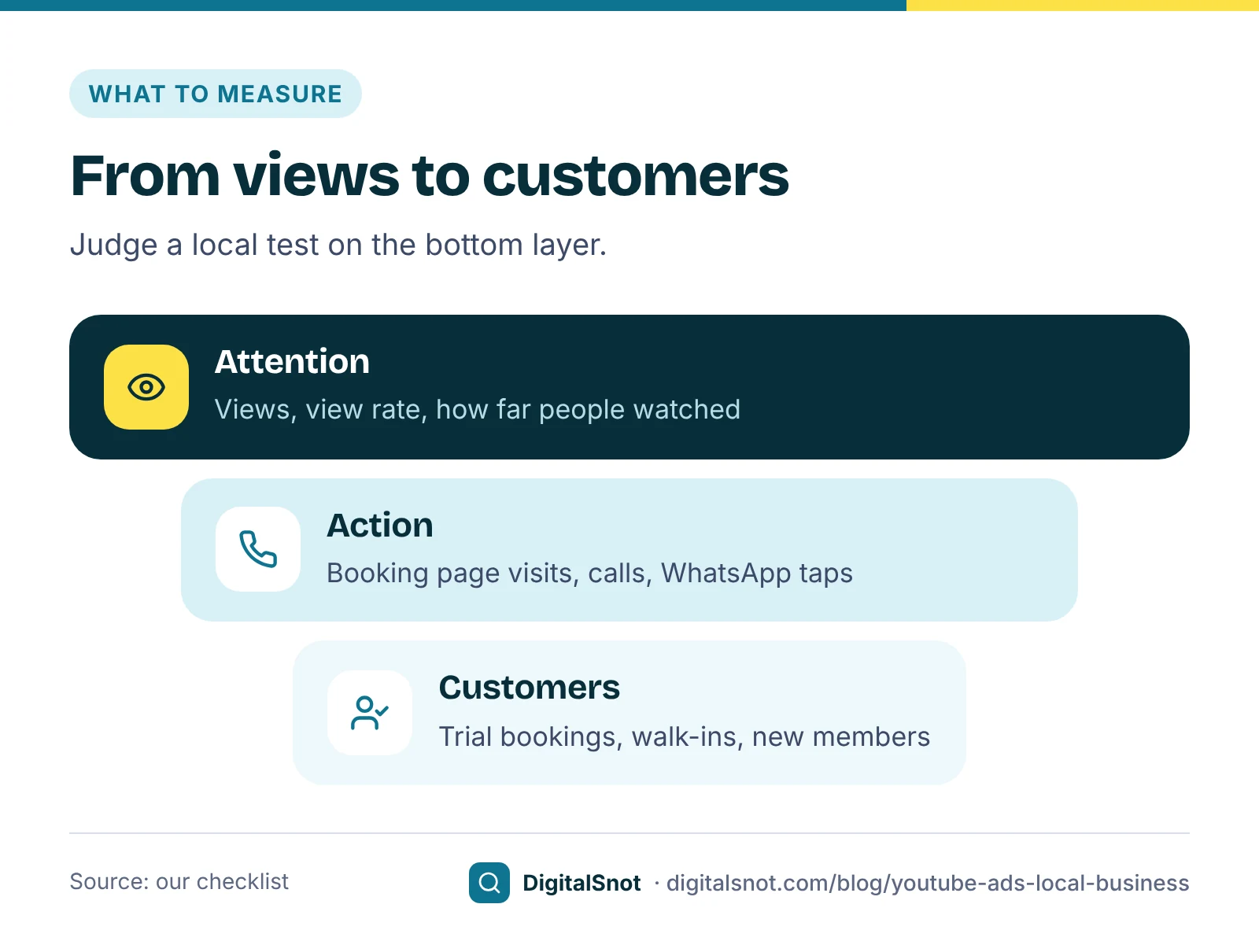
For a local business, measure in three layers:
- Attention: views, view rate and how far people watched. Useful for comparing two edits of the same ad.
- Action: visits to your booking page, calls and WhatsApp taps, counted as conversions in Google Ads. Our posts on tracking calls and WhatsApp leads and importing offline conversions show how.
- Customers: trial bookings, walk-ins and new members. Ask every new customer where they heard of you, and compare the test month with the month before.
Judge the test on the last layer. Cheap views with no new customers mean the ad did not work, however good the view numbers look.
After the month, IronHouse had about 17,000 paid views at an average of ₹0.88, ₹14,960 in all, and 11 trial bookings tracked from the ad. That is about ₹1,360 per tracked booking, before counting the walk-ins who mentioned YouTube at the front desk. The owner compared it with his cost per trial from Search ads before deciding on a second month. These are made-up numbers.
Brand safety: where your ad appears
Your ad plays next to other people's videos, so choose where. Google's page about content suitability describes three inventory types: Maximum, Moderate and Limited. Moderate leaves out strong profanity, dramatised violence and sexually suggestive themes. Limited also leaves out moderate profanity and suits brands with strict rules, though it can reduce reach. You choose these under Content suitability in the Tools menu, where you can also exclude specific channels and videos as placements.
Two limits to know. Google's page about content exclusions for Video campaigns says exclusions may give limited coverage of YouTube Shorts. And no setting is perfect, so during the test, look at where your ads showed each week and exclude channels that do not fit your business.
Ad policies to check before you spend
- Keep the video public or unlisted. Google's unavailable video policy says an ad is disapproved if its video is private, deleted, a live premiere or members-only. Our suggestion is unlisted, if you do not want the ad on your channel page.
- Do not edit the video after the ad is made. The same page says editing the video on YouTube after creating the ad leads to disapproval; delete the ad and create a new one with the updated video.
- The usual Google Ads policies apply. Health, finance and other restricted topics follow the same rules as Search ads. Our post on disapproved and suspended ads explains how to fix problems.
- Keep text within each format's limits. Check headlines and calls to action in the YouTube Ad Specs and Copy Checker before you paste them into Google Ads.
Mistakes to avoid
- Targeting all of India for a shop people must visit.
- Judging by views alone. Count enquiries and new customers.
- Hiding your name and area until the end. Viewers can skip after 5 seconds.
- Editing the video after the ad goes live. Make a new ad instead.
- Copying someone else's cost per view. Use your own numbers and update them after the test.
Your next step
Open the YouTube Ads Campaign Checklist, pick your campaign type and tick through the steps, from linking your channel and conversion tracking to exclusions, GST and the budget. Check your edit in the YouTube Ad Specs and Copy Checker, then set a one-month test budget in the YouTube Ads Budget Calculator. More tools are on our YouTube tools page, or talk to us about your first campaign.
Free tools in this article
- YouTube Ad Specs and Copy Checker Check a YouTube ad's length, shape, visibility and text against Google Ads limits, with a preview.
- YouTube Ads Budget Calculator Turn a monthly budget into views, impressions or conversions, or a goal into a budget, with GST.
- YouTube Ads Campaign Checklist Tick through each step of a YouTube Ads campaign in Google Ads, from linking your channel to the budget.
By the numbers
- watched (or the whole ad if shorter) counts as a view on in-stream ads, unless the viewer interacts first
- 30 seconds
- Source: Google Ads Help
Frequently asked questions
How much should a local business spend on YouTube ads?
Start from a goal, such as the views or bookings you want in a month, and a rate from your own account or a cautious guess. There is no typical cost per view worth copying. Treat the first month as a test, add 18% GST if you cannot claim it back, and plan the next month from your own results.
When do I pay for a view on a YouTube ad?
With cost-per-view bidding on in-stream ads, a view counts when someone watches 30 seconds of your ad, or the whole ad if it is shorter, or interacts with it, whichever comes first.
How long can a YouTube bumper ad be?
Six seconds or less, and viewers cannot skip it. Non-skippable in-stream ads can run up to 15 seconds, with 30-second versions shown mainly on TV screens. Skippable in-stream ads can be skipped after 5 seconds.
Can I show YouTube ads only to people in my area?
Yes. Add your city or the areas you serve in the campaign's location targeting. Google's default option, Presence or interest, also reaches people interested in those places; where the campaign offers it, Presence limits ads to people in or regularly in them.
Can the video for a YouTube ad be unlisted?
Yes. The video must be public or unlisted. Google disapproves ads whose video is private, deleted, a live premiere or members-only, and ads whose video was edited on YouTube after the ad was created.
Which YouTube campaign should I use for leads?
Demand Gen, which replaced Video action campaigns and bids for conversions on YouTube, Discover, Gmail and Display. Google recommends starting with Maximise conversions and moving to Target CPA after at least 50 conversions, so it works best once conversion tracking is solid.
Sources
Every figure and claim in this article comes from the sources below. We checked each one when writing and link to the original so you can read it yourself. Credit belongs to the authors and publishers listed. How we write and check our articles.
-
1
About Video views
Google Ads Help · Video views campaigns with in-feed, skippable in-stream and Shorts ads.
-
2
Video reach campaigns
Google Ads Help · Efficient reach and non-skippable reach with Target CPM bidding.
-
3
Video action campaigns are being upgraded to Demand Gen
Google Ads Help · All Video action campaigns upgraded to Demand Gen by May 2026.
-
4
Demand Gen frequently asked questions
Google Ads Help · Start with Maximise conversions, move to Target CPA after at least 50 conversions.
-
5
About video ad formats
Google Ads Help · Skippable after 5 seconds, bumpers of 6 seconds or less, and other formats.
-
6
Non-skippable in-stream ads
Google Ads Help · Standard non-skippable lengths and 30-second versions on connected TV.
-
7
About advanced location options
Google Ads Help · Presence or interest as the default, and the Presence option.
-
8
About spending limits
Google Ads Help · Monthly charges capped at 30.4 times the average daily budget.
-
9
Taxes in your country
Google Ads Help · 18% GST on Google Ads costs in India.
-
10
Cost-per-view (CPV): Definition
Google Ads Help · A view at 30 seconds, the full ad if shorter, or an interaction.
-
11
About content suitability
Google Ads Help · Maximum, Moderate and Limited inventory types, and placement exclusions.
-
12
About content exclusions for Video campaigns
Google Ads Help · Content exclusions may give limited coverage of YouTube Shorts.
-
13
Unavailable video
Advertising Policies Help · Private, deleted, premiere or members-only videos, and videos edited after the ad was made, lead to disapproval.
Want a second pair of eyes?
Tell us about your site. We reply within one business day.
Talk to us Try our free tools