Offline conversions in Google Ads: tell Google which leads became customers
Upload the leads that became sales from your sheet or CRM: click ID imports or enhanced conversions for leads, the file, the 90 and 63-day limits, hashing and consent.
On this page (11 sections)
Most leads from Google Ads do not buy on the spot. Someone fills in your form today, you visit their home next week, and the order comes a month later. Google Ads saw the form. It never hears about the order, so Smart Bidding treats a time-waster and a ₹2 lakh customer the same. Importing offline conversions in Google Ads is how you tell it.
The fix is to tell Google which leads became customers. This post covers the two ways to do it, how to build the upload file, the time limits, consent and hashing, and why Customer Match is a separate job. If you have not yet set up tracking for calls and WhatsApp enquiries, start with our post on tracking calls and WhatsApp leads; this one goes deeper on the import itself.
Why import sales at all
Google's page about offline conversion imports explains the idea: you bring in conversions that happen away from your website, such as a deal closed on the phone or in person, and connect them to the ad clicks that started them. Reports then show which keywords bring customers, not just forms, and bidding can aim for the leads that turn into money.
You can import more than the final sale. A kitchen firm might import "site visit" and "order"; a coaching institute "counselling done" and "admission". Each step is its own conversion action with its own value. If your tracking is broken today, fix that first with our post on conversion tracking that is not working.
Two ways to match a sale to a click
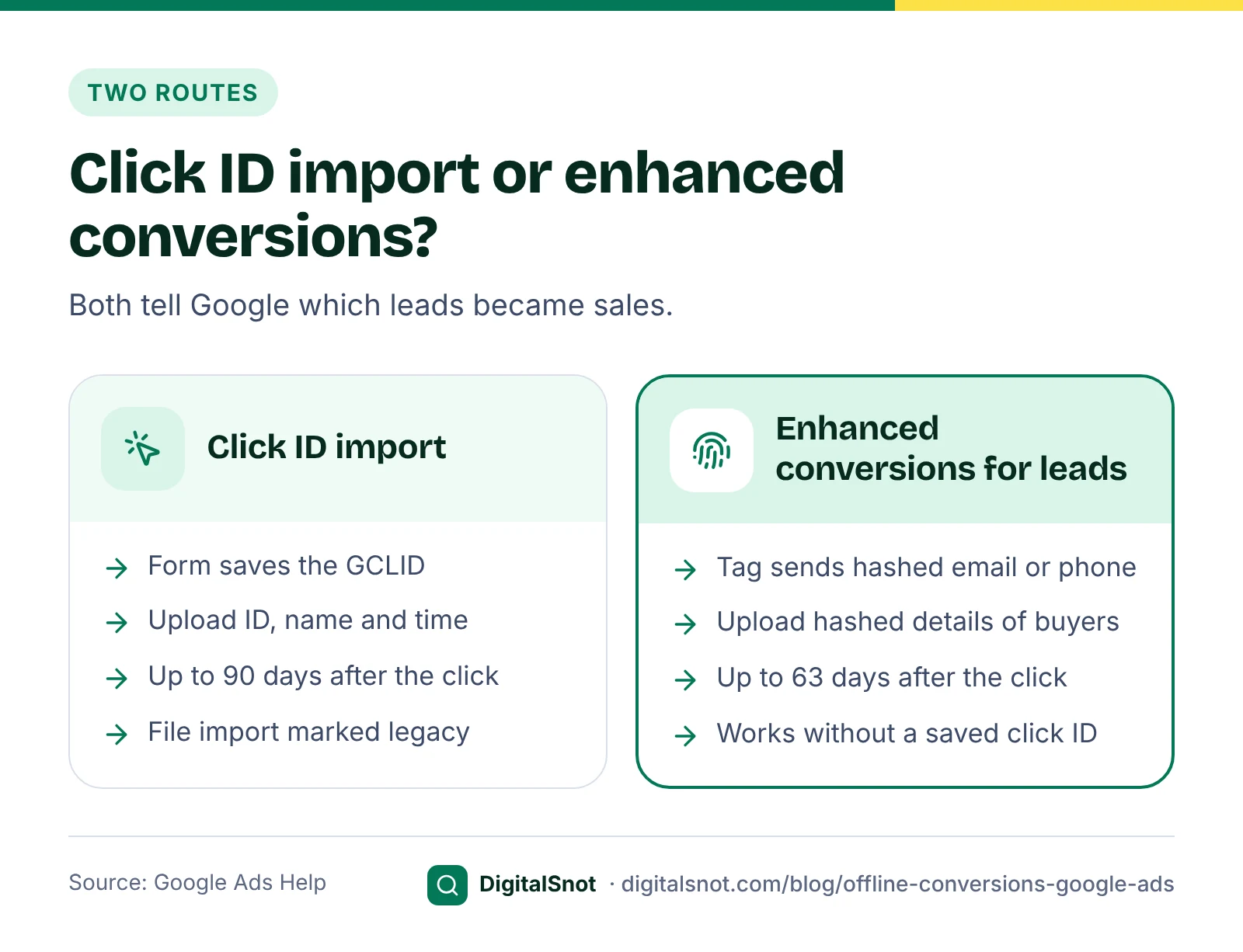
Click ID import. With auto-tagging on, every ad click carries a click ID, the GCLID, in the page address. Your form saves it with the lead. When the lead buys, you upload the GCLID, the conversion action name and the time. Some clicks from iPhones and iPads carry a GBRAID or WBRAID instead. Google's page on importing conversions from ad clicks using files now has "legacy" in its title.
Enhanced conversions for leads. Your website tag sends a hashed email address or phone number when someone fills in your form. Later you upload the same details, hashed, for the leads that became customers, and Google matches them to the ad click. Google's guide to upgrading offline conversion imports recommends this as the upgrade from click ID imports, set up through Google Ads Data Manager. It also works for leads whose click ID was never saved.
If a developer or a CRM connector sends your conversions through the API, ask whether it has moved: the Google Ads Developer Blog says that from 15 June 2026 new API integrations for offline conversions must use the Data Manager API.
Before your first upload
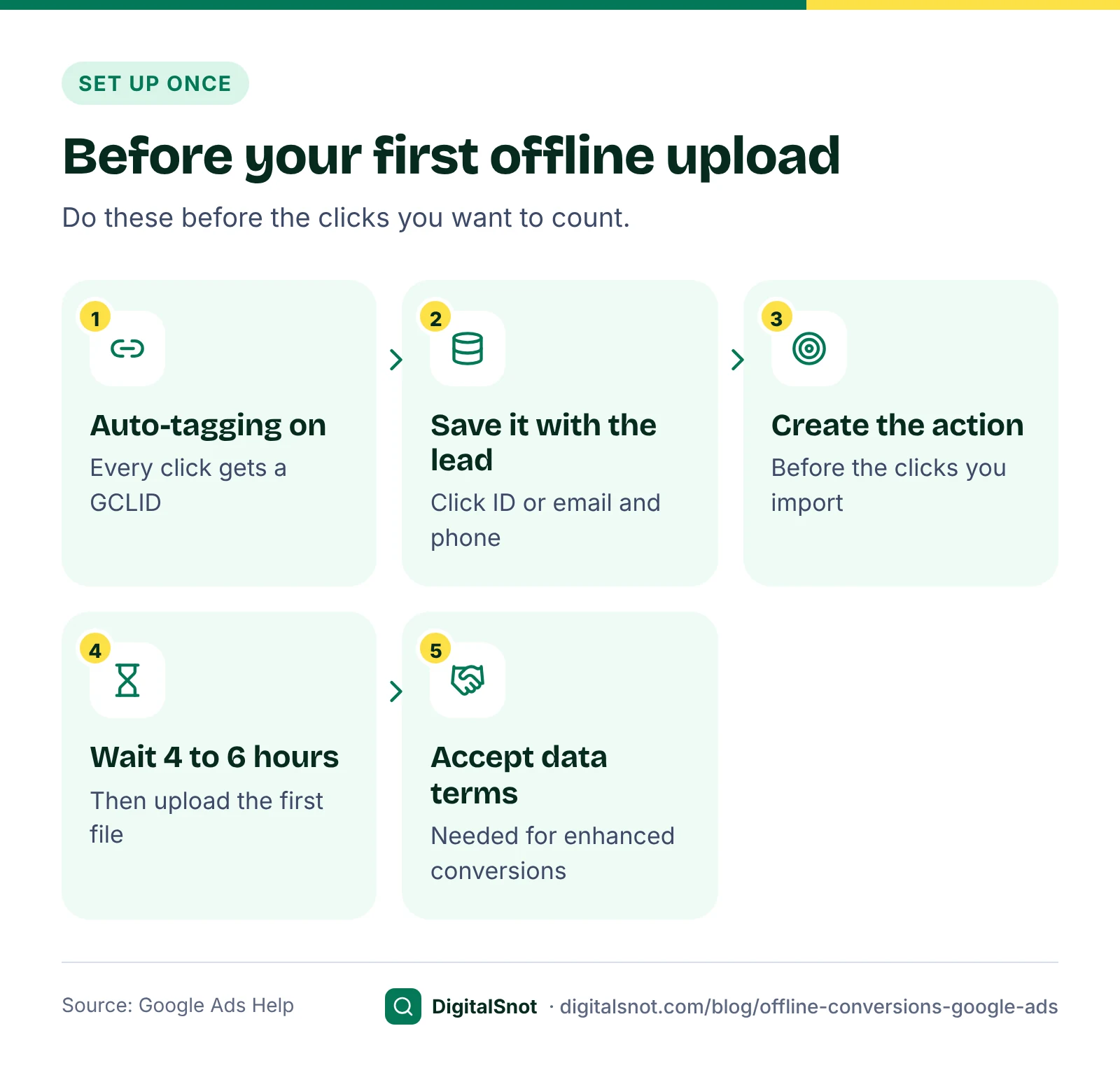
- Turn on auto-tagging in your account settings, so every click carries a GCLID.
- Save the click ID or the contact details with each lead. For click ID imports, add a hidden form field that stores the gclid (and the gbraid or wbraid) from the page address in your CRM or sheet. For enhanced conversions for leads, turn enhanced conversions on and check that the tag reads the email or phone number from your form.
- Create the conversion action before the clicks you want to import. Google's page on fixing errors in offline conversion imports explains that a conversion cannot be credited when no import action of the right type existed at the time of the click.
- Wait before the first upload. Google's legacy file import guide says to wait 4 to 6 hours after creating a new conversion action before uploading conversions for it.
- Accept the customer data terms in your account settings. Google's implementation checklist for enhanced conversions for leads lists them as required.
Build the file
A click ID file needs, for each sale, the click ID, the conversion action name spelt exactly as in Google Ads, with the same capitals, and the conversion time with its time zone. Value, currency and an order ID are optional but worth adding. A row looks like this:
| Google Click ID | Conversion Name | Conversion Time | Conversion Value | Conversion Currency |
|---|---|---|---|---|
| The gclid saved with the lead | Kitchen order | 2026-10-14 15:30:00+05:30 | 240000 | INR |
Most failed imports come from small things: a date like 04/10 read as 10 April instead of 4 October, Indian time read as another time zone, "Rs" in the value column, or a click ID saved as "undefined" by a broken form. The Offline Conversion Import Builder reads a CRM or sheet export in your browser and checks every row for these. It writes each time with its +05:30 offset, turns values like "3.5 lakh" into numbers, flags sales close to the 90-day limit and skips rows past it. It writes the Data Manager layout, or the legacy template that starts with Google's Parameters:TimeZone row.
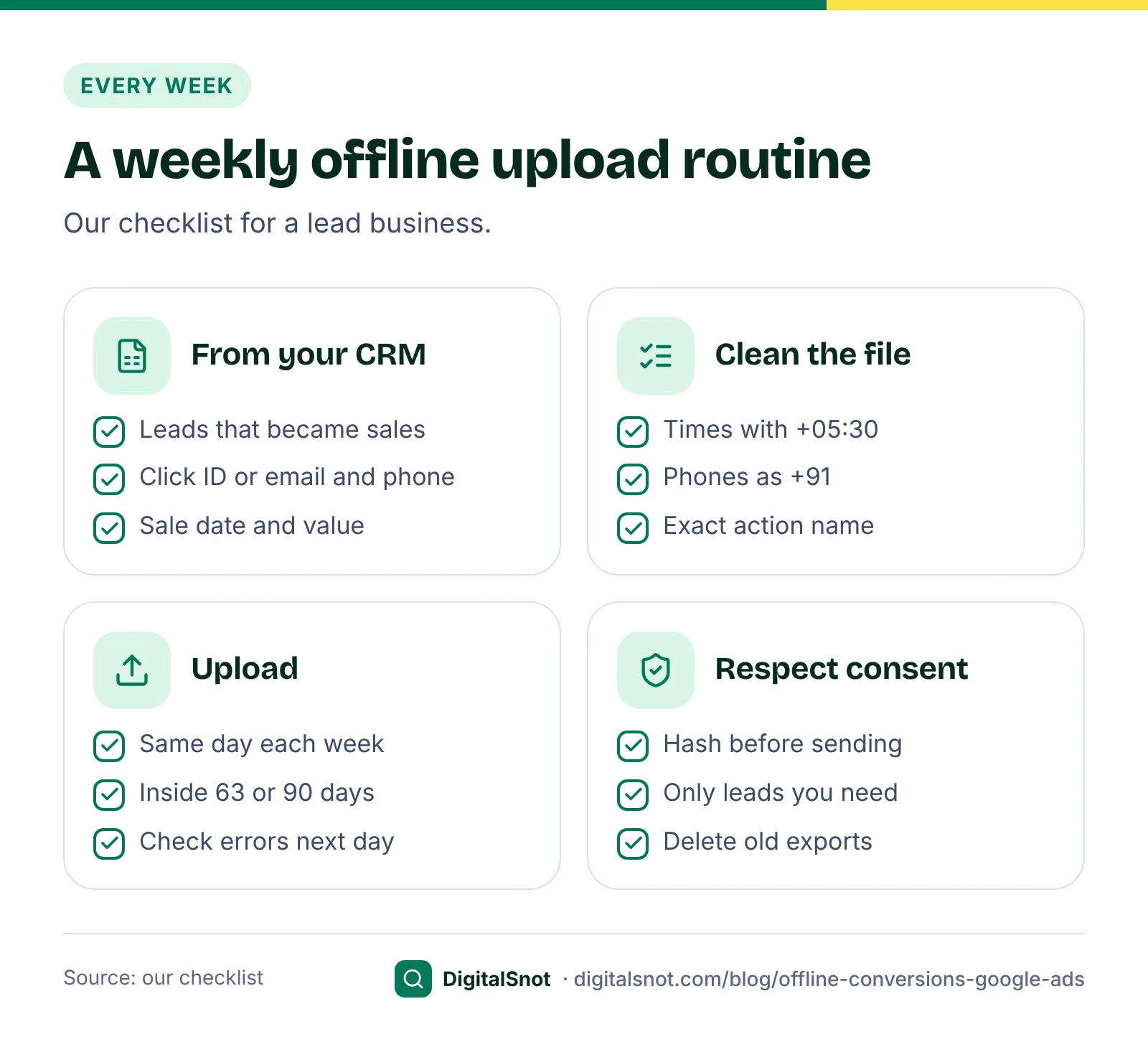
For enhanced conversions for leads, the contact details must be cleaned and hashed the way Google expects. The checklist sets out the rules: remove spaces at either end, use lower case, remove the dots before the @ in gmail.com and googlemail.com addresses, write phone numbers in E.164 format with the country code (+919822012345, not 098220 12345), then hash with SHA-256. Google requires hashed data for scheduled uploads; for a one-off manual upload of unhashed data, Google Ads hashes it for you. The Enhanced Conversions for Leads CSV Formatter does the cleaning and hashing in your browser, adds +91 to 10-digit Indian numbers and flags numbers that Excel turned into scientific notation. Nothing is sent anywhere.
Time limits and a weekly habit
Google's guidelines for importing offline conversions set the windows: click ID conversions uploaded more than 90 days after the click are not imported, and the limit for enhanced conversions for leads is 63 days. The sale must also fall inside the conversion action's click-through window, which Google's page about conversion windows allows from 1 to 90 days, with 30 days as the default.
Two habits follow, both our suggestions:
- Upload every week. A sale closed 50 days after the click is already near the 63-day limit. A fixed day each week keeps you well inside it.
- Import an earlier step if sales take months. A site visit, a quote or a counselling session happens sooner, so it fits the window and gives bidding more to learn from.
Once uploads are routine, you can connect a Google Sheet or another source in Data Manager instead of uploading by hand. If you are moving from click ID imports, Google's page on upgrading to enhanced conversions for leads suggests running the new action alongside the old one for the longer of three conversion cycles or four weeks, then making the new one primary and the old one secondary.
A worked example: a kitchen firm in Kochi
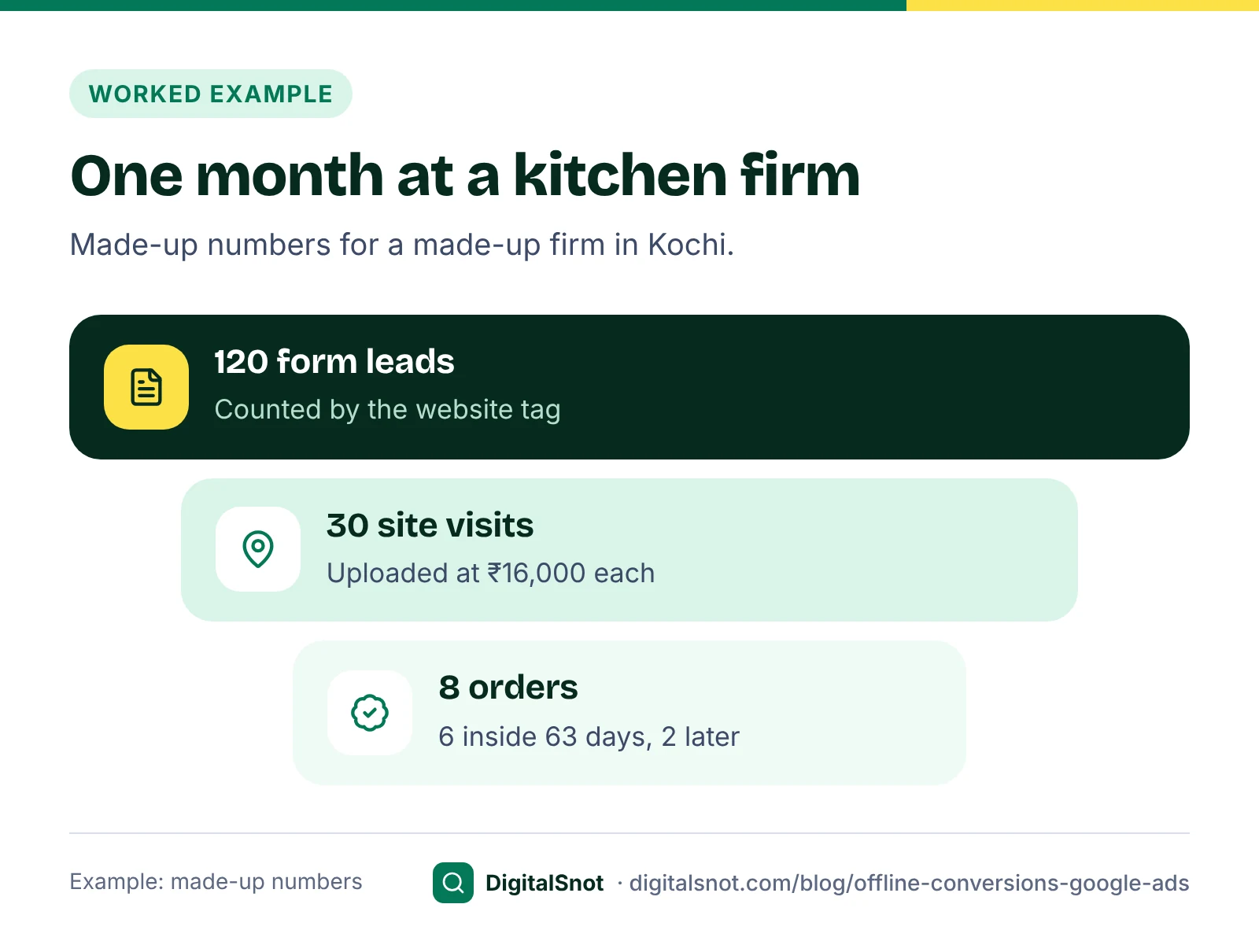
Greenleaf Interiors in Kakkanad, Kochi, is a made-up firm that sells modular kitchens, and these are made-up numbers. In September its Search campaign brought 120 form leads. The team visited 30 homes and closed 8 orders, worth ₹2,40,000 each on average before GST. Orders came 18 to 75 days after the ad click.
| Step | Count | Value uploaded | Inside 63 days? |
|---|---|---|---|
| Form lead (counted by the tag) | 120 | Not uploaded | Not uploaded |
| Site visit | 30 | ₹16,000 each | Yes, all within 2 weeks |
| Kitchen order | 8 | The order value | 6 of 8 |
The site visit value is our estimate, using the idea in Google's page on estimating conversion value: an average order of ₹2,40,000, a 25% margin, and 8 orders from 30 visits gives about ₹16,000 a visit. Two orders came after day 63, outside the window for enhanced conversions for leads. Saved click IDs would have covered them, since Google keeps those for 90 days; without them, the site visits still told bidding which searches brought serious buyers.
Our suggestion for Greenleaf was to make the site visit the primary conversion while orders are few, and keep orders as secondary for reporting until there are enough to bid on. To see what those orders earn after product, fitting and ad costs, our post on true ROAS shows the sums.
Consent and data protection
Hashing turns an email into a long code, but you are still sharing customer data with Google, so handle it with care. This is not legal advice; check your own case with an adviser.
- Consent mode. It passes each visitor's cookie choice to Google tags. Google's consent mode reference says the ad_user_data signal covers sending user data for measurement such as enhanced conversions.
- Your forms and privacy notice. Say plainly how you use the details people give you. Our DPDP Act website checklist covers what forms and notices need under India's data protection law.
- Keep less. Upload only the leads you need, and delete export files once the upload is done.
Customer Match is a different job
The two uploads are easy to mix up. An offline conversion import tells Google which clicks became customers, for measurement and bidding. Customer Match is for targeting: Google's page about Customer Match explains that you upload details your customers shared with you, Google matches them to Google accounts, and you use the list to reach those people, or leave them out, on Search, YouTube and Display.
A kitchen firm might exclude past buyers from ads for new kitchens, or show them a chimney servicing offer. The rules differ too. Google's Customer Match policy allows only data you collected yourself and needs a privacy policy that says you share data with third parties to run services for you. Google's page about audience segments says a list needs at least 100 active members in the last 30 days to serve on Search, YouTube and Display, and only people Google can match count. Using a list for targeting also depends on account history and spend rules in that policy, so check the current version first. The Customer Match List Formatter turns a customer export into a file with Google's column headers, leaves out people marked as not agreeing to marketing, and can hash it in your browser.
Mistakes to avoid
- Creating the import action after the clicks. Those clicks cannot be credited.
- Uploading once a quarter. Sales age past the 63 or 90-day limit.
- Dates and time zones left to chance. Write every time with +05:30.
- Two primary actions for the same sale. Bidding counts both; keep one primary.
- Treating Customer Match as measurement. It targets people; it does not report sales.
Your next step
Check today whether your form saves the gclid, and whether enhanced conversions are on. Then take last month's leads that became sales and run them through the Offline Conversion Import Builder or the Enhanced Conversions for Leads CSV Formatter, and upload the file. Pick a day of the week for the next upload. More tools are on our Google Ads tools page, or talk to us if you want help setting it up.
Free tools in this article
- Offline Conversion Import Builder Turn leads that became sales into a Google Ads offline conversion file, with checks on every row.
- Enhanced Conversions for Leads CSV Formatter Turn a CRM export into a hashed enhanced conversions for leads upload file, in your browser.
- Customer Match List Formatter Turn a customer export into a Customer Match upload file, cleaned and hashed, with checks on every row.
By the numbers
- after the click: the limit for importing click ID (GCLID) conversions
- 90 days
- Source: Google Ads Help
Frequently asked questions
What is an offline conversion import in Google Ads?
It tells Google Ads which ad clicks turned into sales that happened away from your website, such as a deal closed at a site visit or on the phone. You upload the sale with the saved click ID, or with hashed contact details, so reports and Smart Bidding can see customers, not just forms.
Is GCLID import still supported?
Click ID files still work, but Google's page on importing conversions from ad clicks using files is now marked legacy. Google recommends enhanced conversions for leads, which matches hashed emails or phone numbers and is set up through Google Ads Data Manager.
How old can a conversion be when I upload it?
Google does not import click ID conversions uploaded more than 90 days after the click, or enhanced conversions for leads after 63 days. The sale must also fall inside the conversion action's click-through window. Upload at least weekly.
Do I have to hash emails and phone numbers?
For scheduled uploads, yes: Google requires normalised data hashed with SHA-256. For a one-off manual upload of unhashed data, Google Ads hashes it for you. Hashing first means readable contact details never leave your computer.
Why does my import say the conversion action did not exist?
Google cannot credit a conversion when no import conversion action of the right type existed at the time of the click. Create the action first, wait 4 to 6 hours before the first upload, and import only clicks made after it existed.
Is Customer Match the same as offline conversion import?
No. An offline conversion import measures which clicks became customers. Customer Match uses a list of your customers to reach or exclude them on Search, YouTube and Display. It has its own policy and needs at least 100 active matched members to serve.
Sources
Every figure and claim in this article comes from the sources below. We checked each one when writing and link to the original so you can read it yourself. Credit belongs to the authors and publishers listed. How we write and check our articles.
-
1
About offline conversion imports
Google Ads Help · Importing conversions that happen away from your website and linking them to ad clicks.
-
2
Import conversions from ad clicks into Google Ads using files (legacy)
Google Ads Help · Click ID file imports marked legacy; wait 4 to 6 hours after creating a new conversion action.
-
3
Your guide to upgrading offline conversion imports
Google Ads Help · Enhanced conversions for leads as the upgrade, through Data Manager.
-
4
Upgrade offline conversion import to enhanced conversion for leads
Google Ads Help · Run both actions for the longer of three conversion cycles or four weeks, then swap primary and secondary.
-
5
Changes to Offline Click Conversion Import Support in the Google Ads API
Google Ads Developer Blog · New API integrations for offline conversions must use the Data Manager API from 15 June 2026.
-
6
Guidelines for importing offline conversions
Google Ads Help · 90-day limit for click ID conversions, 63 days for enhanced conversions for leads.
-
7
Fix discrepancies and errors in offline conversion imports
Google Ads Help · Conversions cannot be credited when no import action existed at the time of the click.
-
8
Enhanced conversions for leads implementation checklist
Google Ads Help · Normalising emails and phone numbers, E.164, SHA-256 hashing and customer data terms.
-
9
About conversion windows
Google Ads Help · Click-through windows from 1 to 90 days, 30 days by default.
-
10
How to estimate conversion value
Google Ads Help · Valuing a step from average sale, margin and the share that become customers.
-
11
Consent mode reference
Google Ads Help · The ad_user_data signal covers user data sent for measurement such as enhanced conversions.
-
12
About Customer Match
Google Ads Help · Using customer lists to reach or exclude customers on Search, YouTube and Display.
-
13
Customer Match policy
Advertising Policies Help · First-party data only, privacy policy disclosure, and eligibility rules.
-
14
About audience segments in Audience manager
Google Ads Help · At least 100 active members in the last 30 days to serve on Search, YouTube and Display.
Want a second pair of eyes?
Tell us about your site. We reply within one business day.
Talk to us Try our free tools